Sponsored

So0_NaSTy

Well-Known Member
Joined
Oct 25, 2024
Threads
21
Messages
334
Reaction score
110
Location
NY
Vehicle(s)
2024 Ford Mustang GT Premium
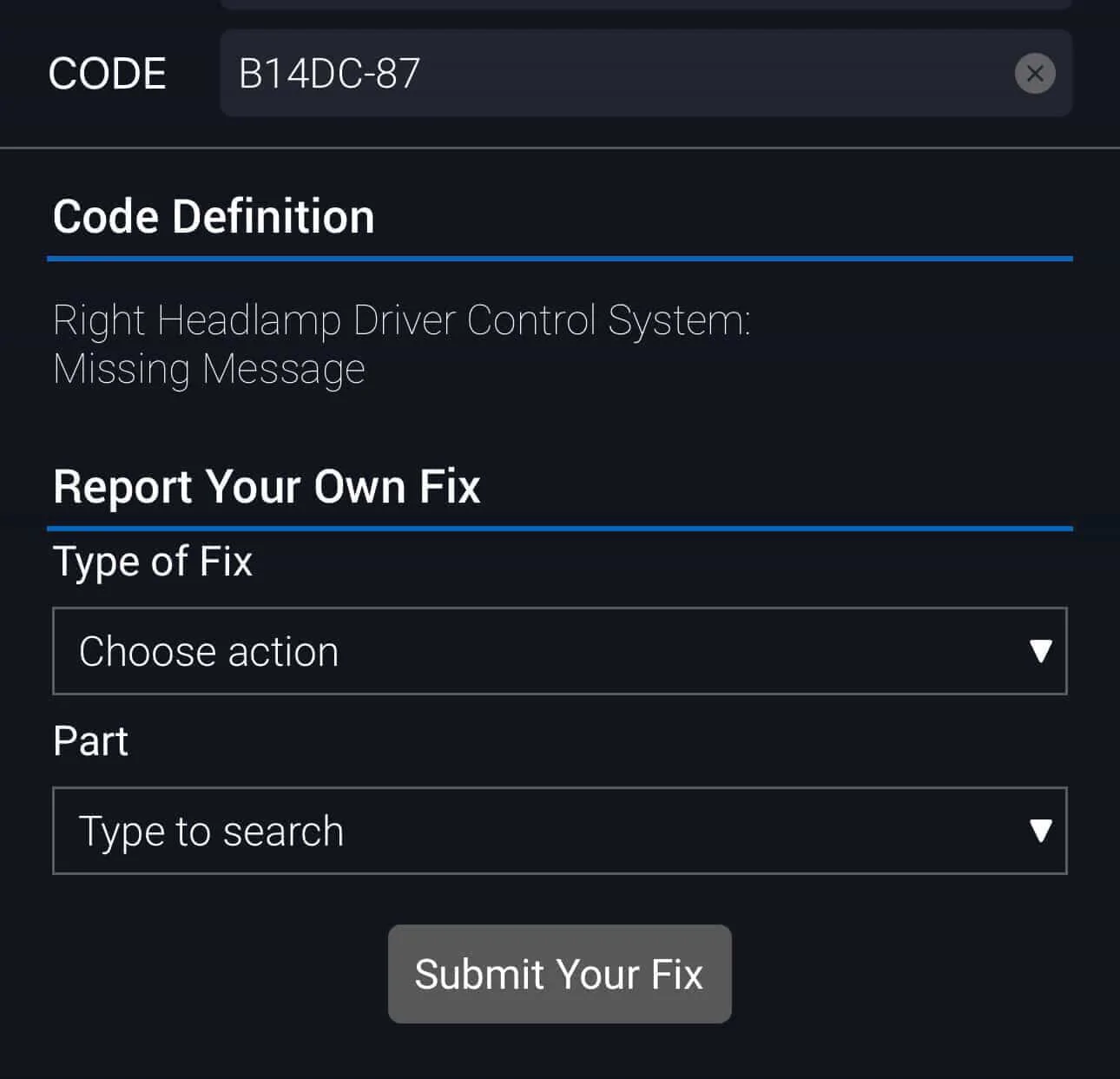
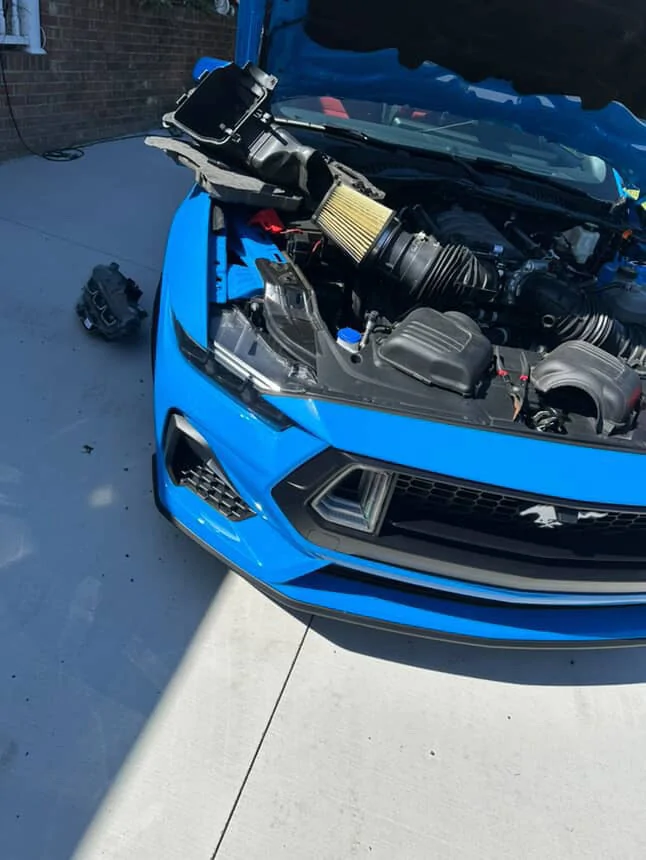
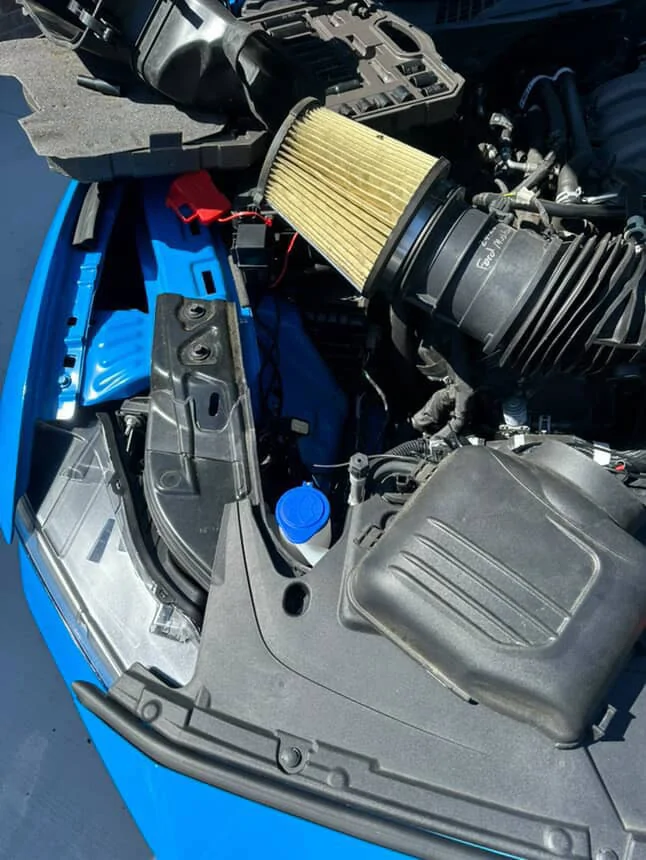
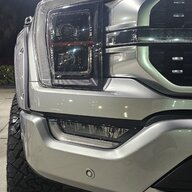
This is a known defect, they all come from the same Manufacturer overseas. I bought mine from Stanglights, the issue is more than likely the Passenger Side Headlight. It should be fault code: “B14DC-87” the driver side RGB for mine works as long as the oem headlight is plugged into the passenger side. Stanglights is sending me out a replacement set and I’ll be sending my current ones back to be R&D’d. So far I’m now aware of 4 total people having this issue, including myself.

EA1E78E8-D6A8-44A2-8C32-9C28ACC4A962.webp
E02DA840-D6B1-4AD4-944B-0C130A986275.webp
F0C2A56D-A8A6-4BF3-BC4C-C2AAE2D2EDB0.webp
yeah. I was messaging you on Facebook. LOLLL
Sponsored

 
Joined
Jul 3, 2016
Threads
0
Messages
13
Reaction score
15
Location
California
Vehicle(s)
2016 Ford Mustang GT Premium
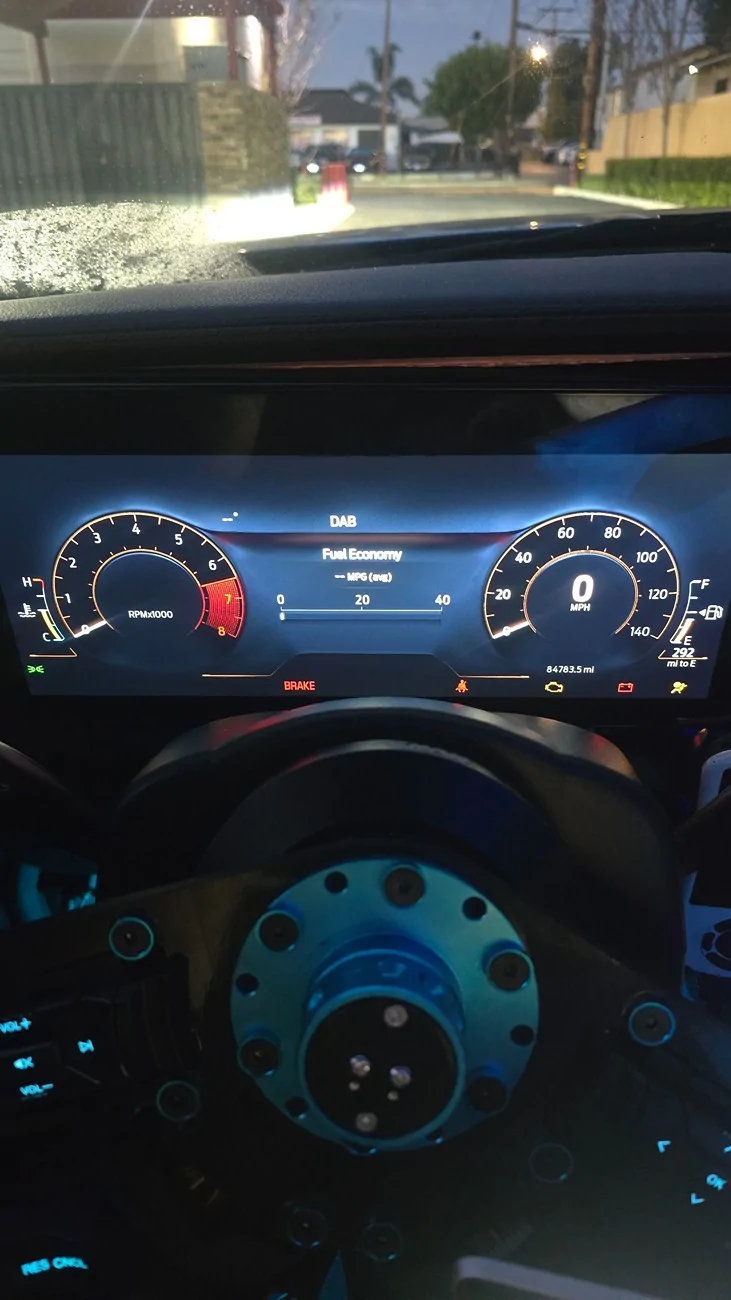
Hi, dont mind the user name as I am known as WolfMxbee on the mustang 6g forums but guess i had an old account and it doesnt transfer over, anyways I am doing a S650 dash swap on my s550 and got the cluster to work perfectly with the exception of the stupid PRNDL displaying, I have a manual and seen that lines 720-02-01 affect the PRNDL, what coding would delete this?
 

sky5oh

Well-Known Member
Joined
Apr 3, 2025
Threads
2
Messages
84
Reaction score
54
Location
North Carolina
Vehicle(s)
2024 Mustang GT
Hi, dont mind the user name as I am known as WolfMxbee on the mustang 6g forums but guess i had an old account and it doesnt transfer over, anyways I am doing a S650 dash swap on my s550 and got the cluster to work perfectly with the exception of the stupid PRNDL displaying, I have a manual and seen that lines 720-02-01 affect the PRNDL, what coding would delete this?
Now how on earth did you manage to make the S650 cluster work on the S550?
 

slickthewhale

Member
Joined
Sep 6, 2025
Threads
1
Messages
23
Reaction score
12
Location
coppel,TX
Vehicle(s)
2025 Mustang GT
What module is this change in? the BCM? I figured it was the headlight tint making that color! Thank you X100000
Sorry, just saw this. Not sure if you already figured it out or not but it’s the LDCMA LDCMB modules.


rugedraw

Well-Known Member
Joined
Apr 17, 2024
Threads
1
Messages
462
Reaction score
569
Location
Miami, FL
Vehicle(s)
2021 F150 701a 3.5tt 4x4; 2023 Bronco Sport Badlands; 1991 Mustang 5.0 coupe
Hi, dont mind the user name as I am known as WolfMxbee on the mustang 6g forums but guess i had an old account and it doesnt transfer over, anyways I am doing a S650 dash swap on my s550 and got the cluster to work perfectly with the exception of the stupid PRNDL displaying, I have a manual and seen that lines 720-02-01 affect the PRNDL, what coding would delete this?
Very nice! Are you able to access all the settings in the touchscreen menu and turn things on and off?

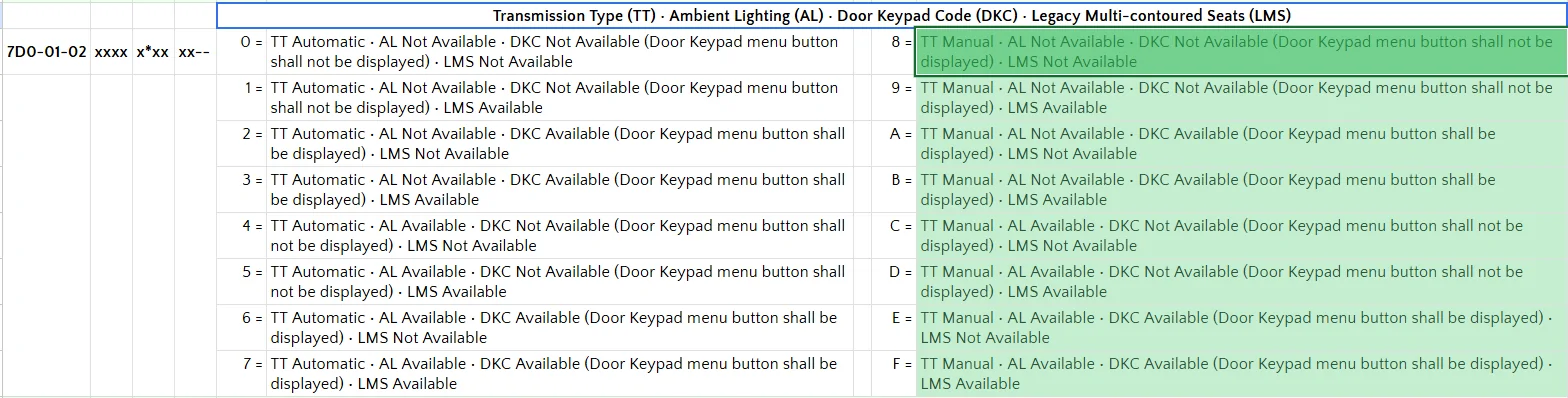
In terms of your question, check what value you show in the IPC here. If the value shows TT automatic, change it to manual and see if PRNDL goes away.

1771046134650-ye.webp


Also, in the case of the S650 on Sync 4, the APIM manages IPC. I don't believe the IPC has a stand alone module like it does on Sync 3 and some first gen Sync 4 vehicles. There is also a transmission type setting in the APIM here. If yours shows auto, change this to manual, too.

1771046299638-iy.webp
 
Joined
Jul 3, 2016
Threads
0
Messages
13
Reaction score
15
Location
California
Vehicle(s)
2016 Ford Mustang GT Premium
Now how on earth did you manage to make the S650 cluster work on the S550?
Heres my writeup so far https://www.mustang6g.com/forums/th...ity-possibilities.187125/page-10#post-4453021

Very nice! Are you able to access all the settings in the touchscreen menu and turn things on and off?

In terms of your question, check what value you show in the IPC here. If the value shows TT automatic, change it to manual and see if PRNDL goes away.

1771046134650-ye.webp


Also, in the case of the S650 on Sync 4, the APIM manages IPC. I don't believe the IPC has a stand alone module like it does on Sync 3 and some first gen Sync 4 vehicles. There is also a transmission type setting in the APIM here. If yours shows auto, change this to manual, too.

1771046299638-iy.webp
Perfect thank you so much!! I only have the IPC module and cluster from the S650, next step is the center display, apim and sync 4 module, So far i am not able to access the menu or settings but my s550 steering switches can navigate through the basic information like tire pressure and my gauge info like afr, iat, etc, i had an issue with the fuel gauge not displaying but found out on the s550, its info is source is set to ipc but s650 its set to pcm, quick forscan change and now i got fuel
 
Last edited:

rugedraw

Well-Known Member
Joined
Apr 17, 2024
Threads
1
Messages
462
Reaction score
569
Location
Miami, FL
Vehicle(s)
2021 F150 701a 3.5tt 4x4; 2023 Bronco Sport Badlands; 1991 Mustang 5.0 coupe
Heres my writeup so far https://www.mustang6g.com/forums/th...ity-possibilities.187125/page-10#post-4453021


Perfect thank you so much!! I only have the IPC module and cluster from the S650, next step is the center display, apim and sync 4 module, So far i am not able to access the menu or settings but my s550 steering switches can navigate through the basic information like tire pressure and my gauge info like afr, iat, etc, i had an issue with the fuel gauge not displaying but found out on the s550, its info is source is set to ipc but s650 its set to pcm, quick forscan change and now i got fuel
I am on a similar mission with my girl's Bronco sport, but I started with the APIM first and just ordered the cluster from a 2025 Bronco Sport to see what I can get it to do (or not do).

The GWM on Sync 3 will never be fully compatible with the IPC you put in or the Sync 4 APIM. Certain things will work, and others will not. On the Bronco Sport with the SYnc 4 APIM, eveything "works", but I cannot go into the settings and turn anything that is on to off or vice versa. If at the time you put the new APIM, auto-fold mirrors are on, then you cannot turn that feature off. In my case, I am beta testing the Sync 4 APIM for Infotainment. Eventually, they will develop a GenieMax (in-house module they make to make these conversions compatible with the existing module architecture), but for now, it is what it is. Video below is from when I first swapped in the APIM. I was able to fix connectivity and get WiFi to show up with some FORScan changes, but I am still unable to toggle features on and off in the APIM:

https://www.broncosportforum.com/fo...-near-you-from-infotainment.18460/post-290323

Also, if you swap the APIM for a Sync 4 one, do not remove the vehicle from Fordpass or you will not be able to add it back to Fordpass without putting the Sync 3 APIM back in.
 

Dark Sprite

Well-Known Member
Joined
Jan 13, 2026
Threads
7
Messages
196
Reaction score
185
Location
UAE
Vehicle(s)
Vapour Blue MCP7125 700A DH (non-HP)
Each time I restart my car the info display reverts back to the Trip 1 Data, is there a way to program it in FORScan so that it remembers the last selection instead?
 

slickthewhale

Member
Joined
Sep 6, 2025
Threads
1
Messages
23
Reaction score
12
Location
coppel,TX
Vehicle(s)
2025 Mustang GT
Hey guys. I started a discord server to help out with FORScan mods and other things. We have tutorials on how to complete the Amber DRL mod without FDRS and a bunch of other helpful info. We have some very knowledgeable guys in there, one of them is an ethical hacker haha. Feel free to join: https://discord.gg/cTUWEzpdR
 

rugedraw

Well-Known Member
Joined
Apr 17, 2024
Threads
1
Messages
462
Reaction score
569
Location
Miami, FL
Vehicle(s)
2021 F150 701a 3.5tt 4x4; 2023 Bronco Sport Badlands; 1991 Mustang 5.0 coupe
Each time I restart my car the info display reverts back to the Trip 1 Data, is there a way to program it in FORScan so that it remembers the last selection instead?
No, the cluster reverting to something other than what you last used is an "issue" that affects all vehicles on Sync 4. Not sure if this is a glitch or it is by design, but it is very annoying.
 

Dark Sprite

Well-Known Member
Joined
Jan 13, 2026
Threads
7
Messages
196
Reaction score
185
Location
UAE
Vehicle(s)
Vapour Blue MCP7125 700A DH (non-HP)
I deselected both Trip 1 and Trip 2 in the settings menu, so now it opens up on tire pressures, which is fine as I’m not particularly interested in the fuel economy anyway.

Can the favourites button be programmed to do more than just the on screen options? E.g. cycle through custom profiles.
 

Fruitstang

Well-Known Member
Joined
Jan 7, 2018
Threads
11
Messages
306
Reaction score
204
Location
Germany
Vehicle(s)
2024 Mustang GT Convertible
Custom profiles can be scrolled through with the dedicated buttons on the left side of the steering wheel.
Or do you mean something different?
 

Dark Sprite

Well-Known Member
Joined
Jan 13, 2026
Threads
7
Messages
196
Reaction score
185
Location
UAE
Vehicle(s)
Vapour Blue MCP7125 700A DH (non-HP)
The Mode buttons cycle through Normal, Sport, Track, Drag, Slippery and Custom (selecting your default custom profile), but I was talking about cycling through Custom Profiles 1-6 without needing to go into the My Mustang menu, which doesn’t appear to be possible.
Sponsored


Top