Sponsored

Change lane keep to lane centering?

Jim Hendrickson

Active Member
Joined
Apr 23, 2026
Threads
0
Messages
34
Reaction score
26
Location
SC
Vehicle(s)
2026 Ford Mustang
Tr
This would in theory be the perfect use case for lane centering, but I have this on my Expedition (not sure if it’s even on my Mustang) and find it useless because once I’ve been driving dead straight on the highway for 30s or so the car starts warning me to put my hands back on the wheel (they already are), so I have to give the wheel a little shake or the warnings get louder and more urgent and eventually the car starts doing little brake checks to wake up the driver!

Only way to fully utilise lane centering imo is if you have BlueCruise and can actually let go of the wheel, but as noted that isn’t available on the Mustang.
If you have an automatic with lane centering try putting a light ankle weight on the side of the steering wheel. It provides a light pull on the wheel and the lane centering "should" overcome this small force and keep you centered. I have not tried this on any of my Mustangs as all of them have had lane assist which is obviously not the same. It does work on a Prius.
Sponsored


Yamazuki

Well-Known Member
Joined
May 14, 2025
Threads
4
Messages
431
Reaction score
655
Location
North Dakota, USA
Vehicle(s)
2024 Dark Horse, 2013 Ford Raptor, 2004 F150
Please let us know what happens, I'm super curious especially since you're working with non-premium cars. I'm both surprised and not surprised that the dark horse has everything enabled even in non-premium trim.
Spent most of the day piddling with this. Still no joy.

I did find another setting that I had originally missed though and updated my pdf in that post. I'll add it here again as well since it shows everything that I tried today.

After applying all of these changes, I'm able to get the menu options to appear and toggle on and off. Cruise Control will turn on, but will not actually set and regardless of the speed I am traveling at, it only shows the posted speed limit as the speed at which the cruise would engage but with a line through it.

Despite the cruise control failing to set, lane keep assist still works; which seems a tad bit odd, but ok.

No fault codes present in any modules after a short test drive and the cruise failing to set.
 

Attachments

robotninjasrule

Active Member
Joined
Aug 4, 2025
Threads
4
Messages
39
Reaction score
75
Location
Canada
Vehicle(s)
24 GT
Apologies I am on my phone

those are the exact results I had. No DTCs, everything appears to work, but cruise will not engage at any speed. I also found out if you switch to regular cruise it still would not engage. That leads me to believe it could be firmware difference we can’t change as the culprit.
however the speed limit function worked throughout.

Or the car is just waiting for the signal from the transmission that it’s in “drive” lol

Spent most of the day piddling with this. Still no joy.

I did find another setting that I had originally missed though and updated my pdf in that post. I'll add it here again as well since it shows everything that I tried today.

After applying all of these changes, I'm able to get the menu options to appear and toggle on and off. Cruise Control will turn on, but will not actually set and regardless of the speed I am traveling at, it only shows the posted speed limit as the speed at which the cruise would engage but with a line through it.

Despite the cruise control failing to set, lane keep assist still works; which seems a tad bit odd, but ok.

No fault codes present in any modules after a short test drive and the cruise failing to set.
 
Last edited:

Yamazuki

Well-Known Member
Joined
May 14, 2025
Threads
4
Messages
431
Reaction score
655
Location
North Dakota, USA
Vehicle(s)
2024 Dark Horse, 2013 Ford Raptor, 2004 F150
Apologies I am on my phone

those are the exact results I had. No DTCs, everything appears to work, but cruise will not engage at any speed. I also found out if you switch to regular cruise it still would not engage. That leads me to believe it could be firmware difference we can’t change as the culprit.
however the speed limit function worked throughout.

Or the car is just waiting for the signal from the transmission that it’s in “drive” lol
Either that or it's coded in such a way that it will never work as long as the transmission type is something other than the automatic; like some features that are EU specific not working while the car is set to North America.

We're obviously missing something here though.
 
OP
OP
ChillinDylan

ChillinDylan

Member
Joined
Jan 9, 2026
Threads
2
Messages
23
Reaction score
5
Location
USA, Ohio
Vehicle(s)
2025 GT premium 401a 6MT Intense lime yellow metallic
I finally got some time to play with this. Couple interesting notes on my end.
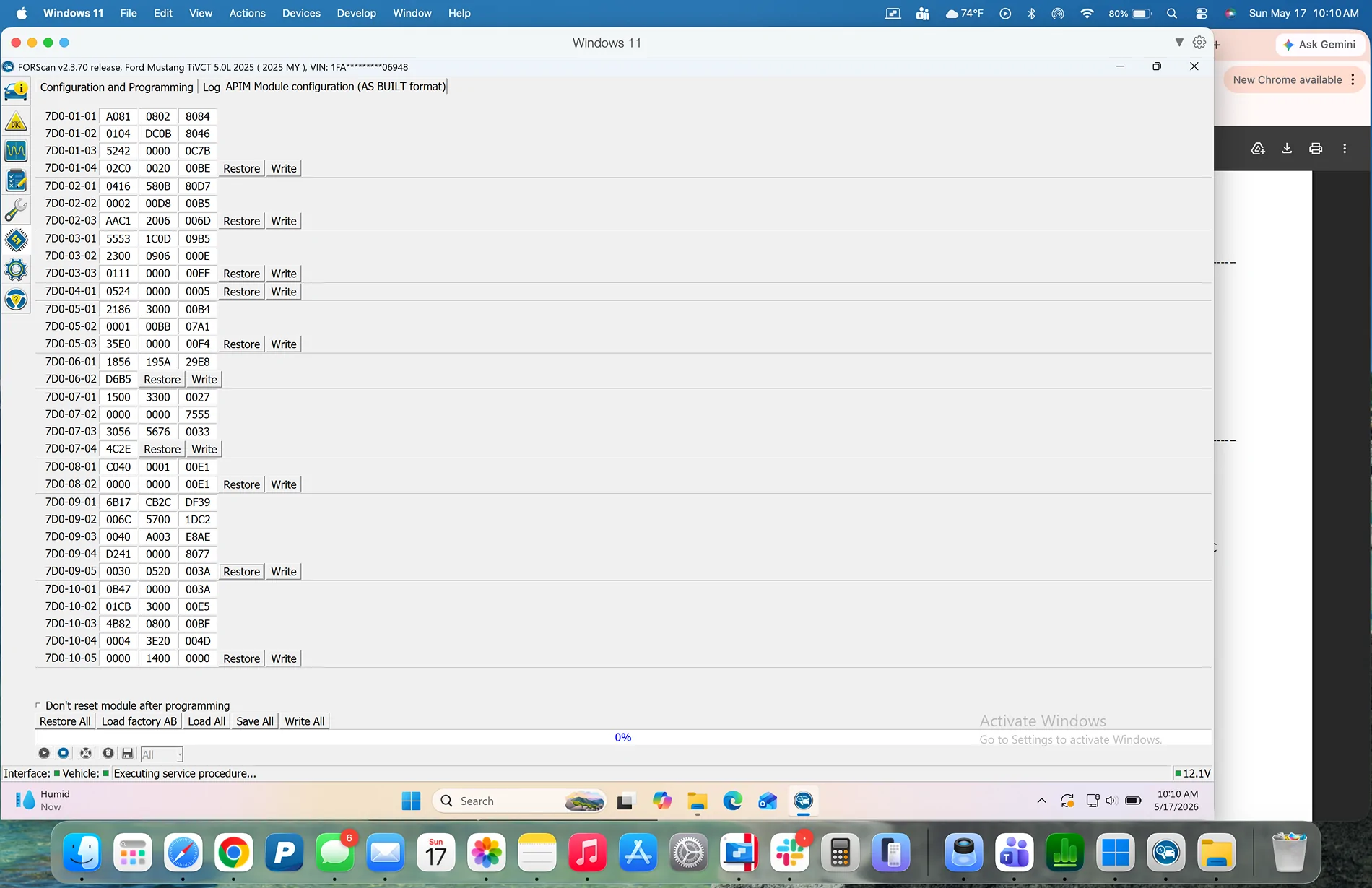
First: @Yamazuki I followed your last change list guide... as far as I could. I did not change the APIM values you listed. My APIM is certainly running on a different software version because my 3rd column of values is not 2 digits as yours was, mine is 4 digits. See attached picture. Also several of my factory values were not the same as the ones you listed. Some of them were numbers not letters or vice versa. Hindsight I should have notated which ones while I was doing it but I didn't. When I get some more time I will re-load the factory data and go through it again if anybody is curious about that part.
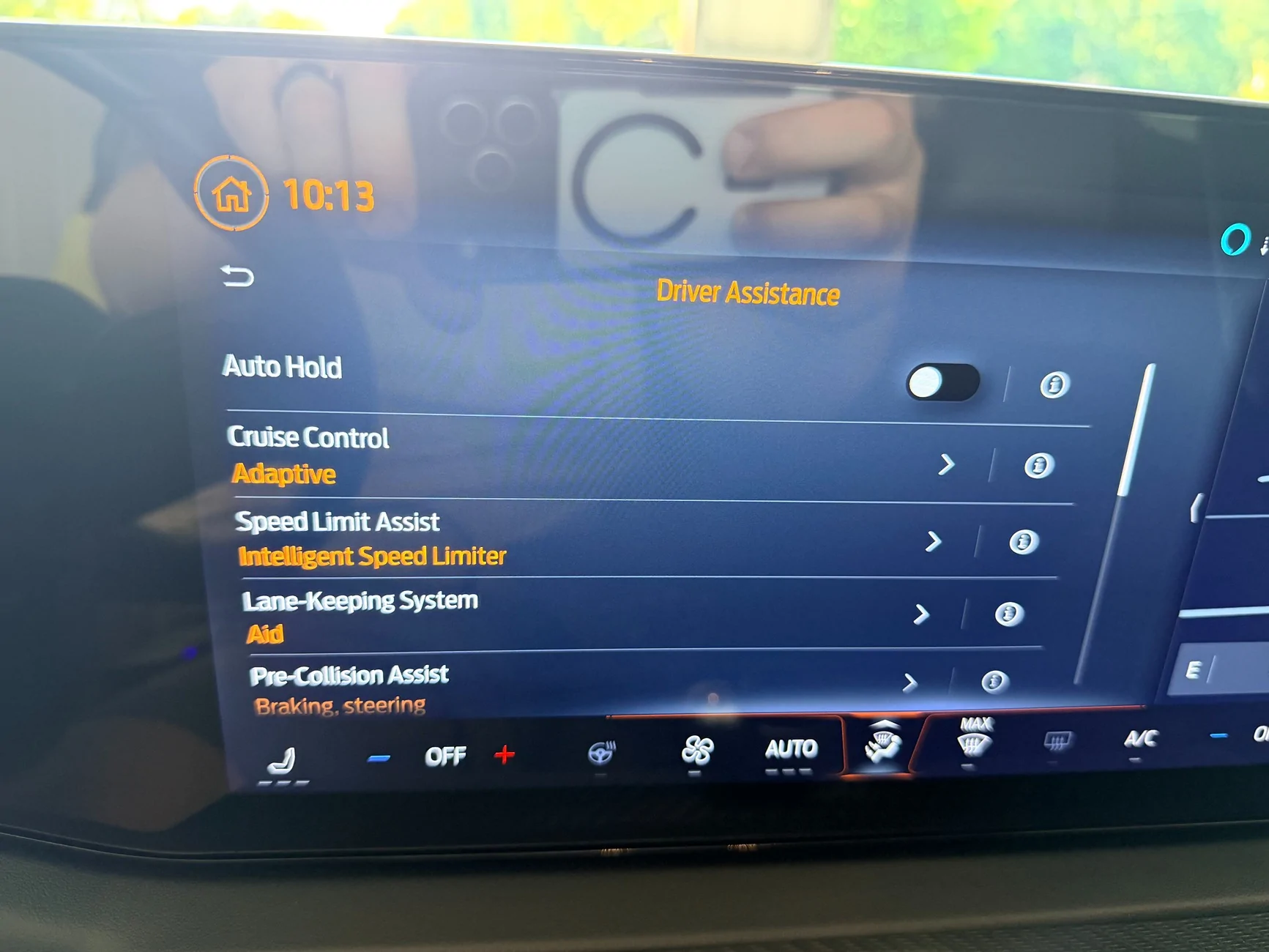
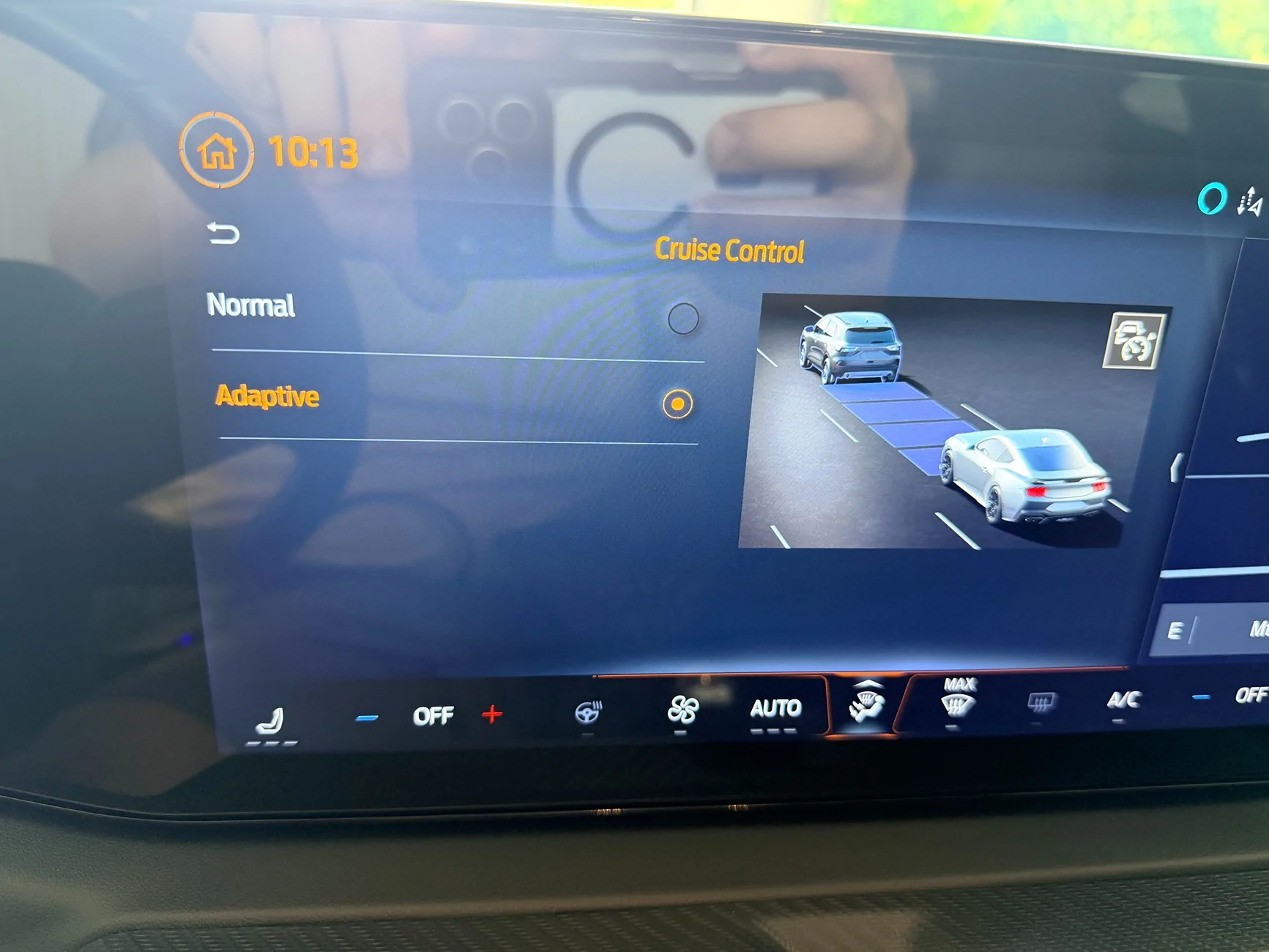
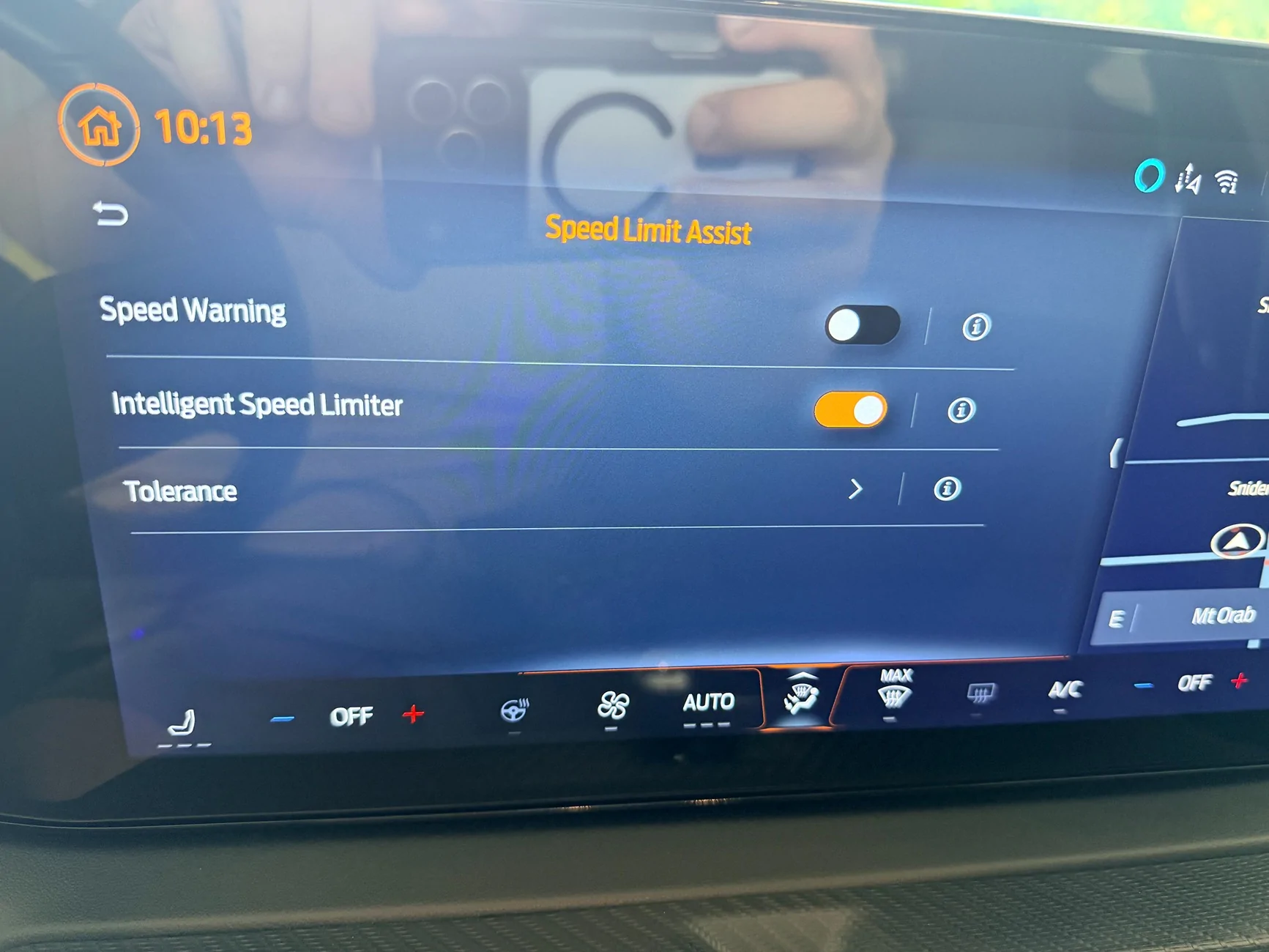
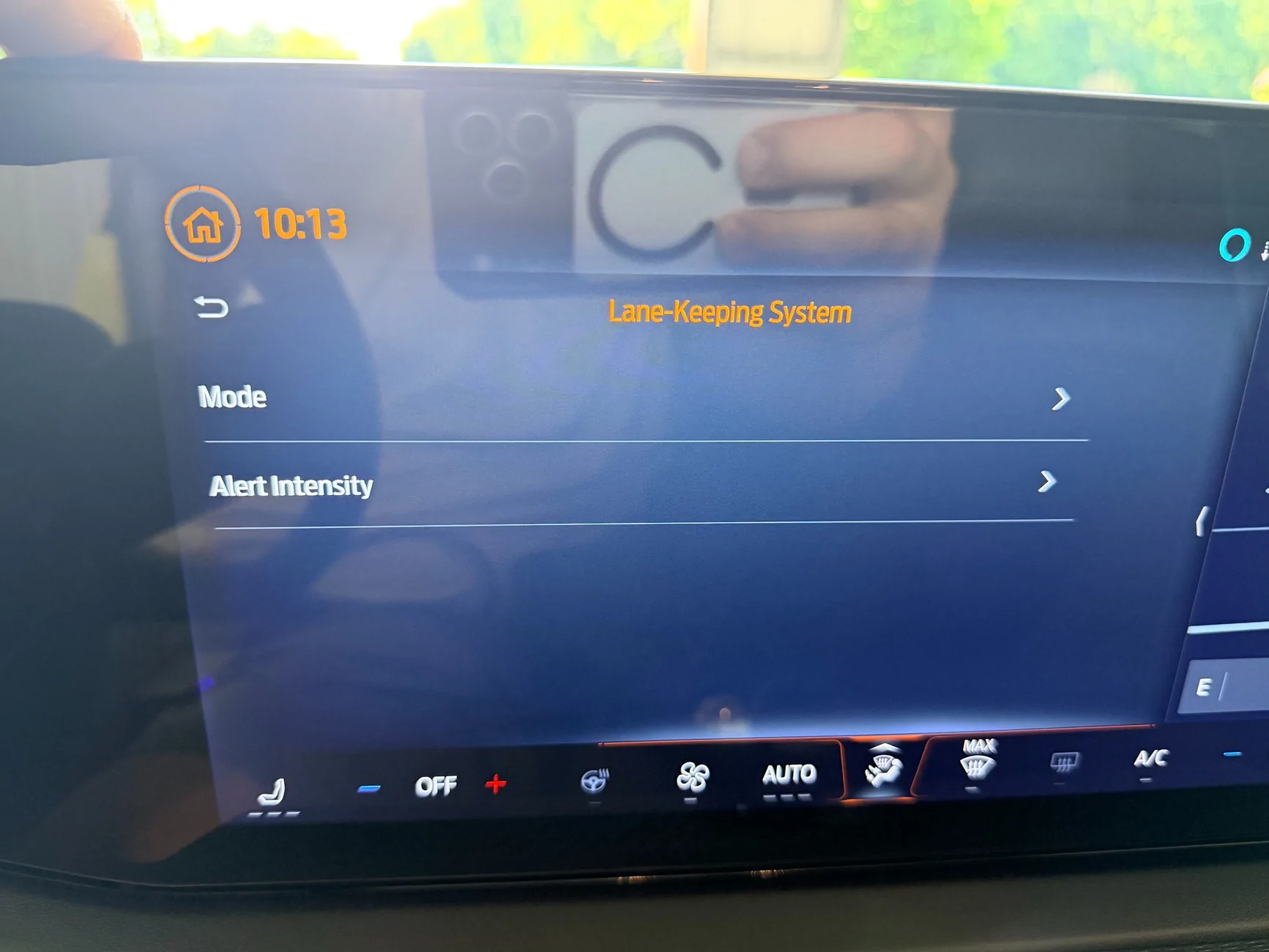
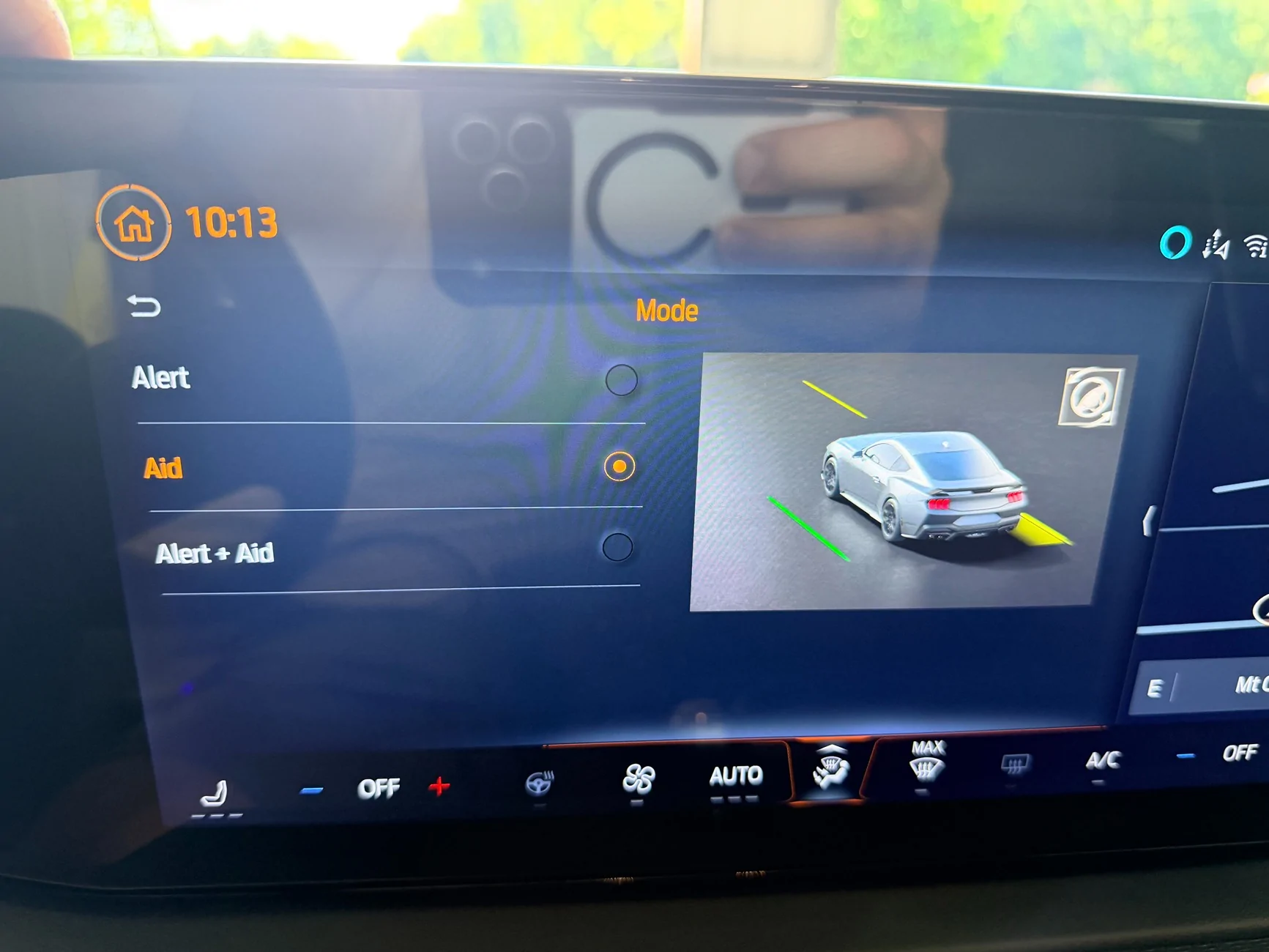
Second: @robotninjasrule I did not get the option in the center screen you got, in fact, my menus look totally different than yours, see attached pictures.

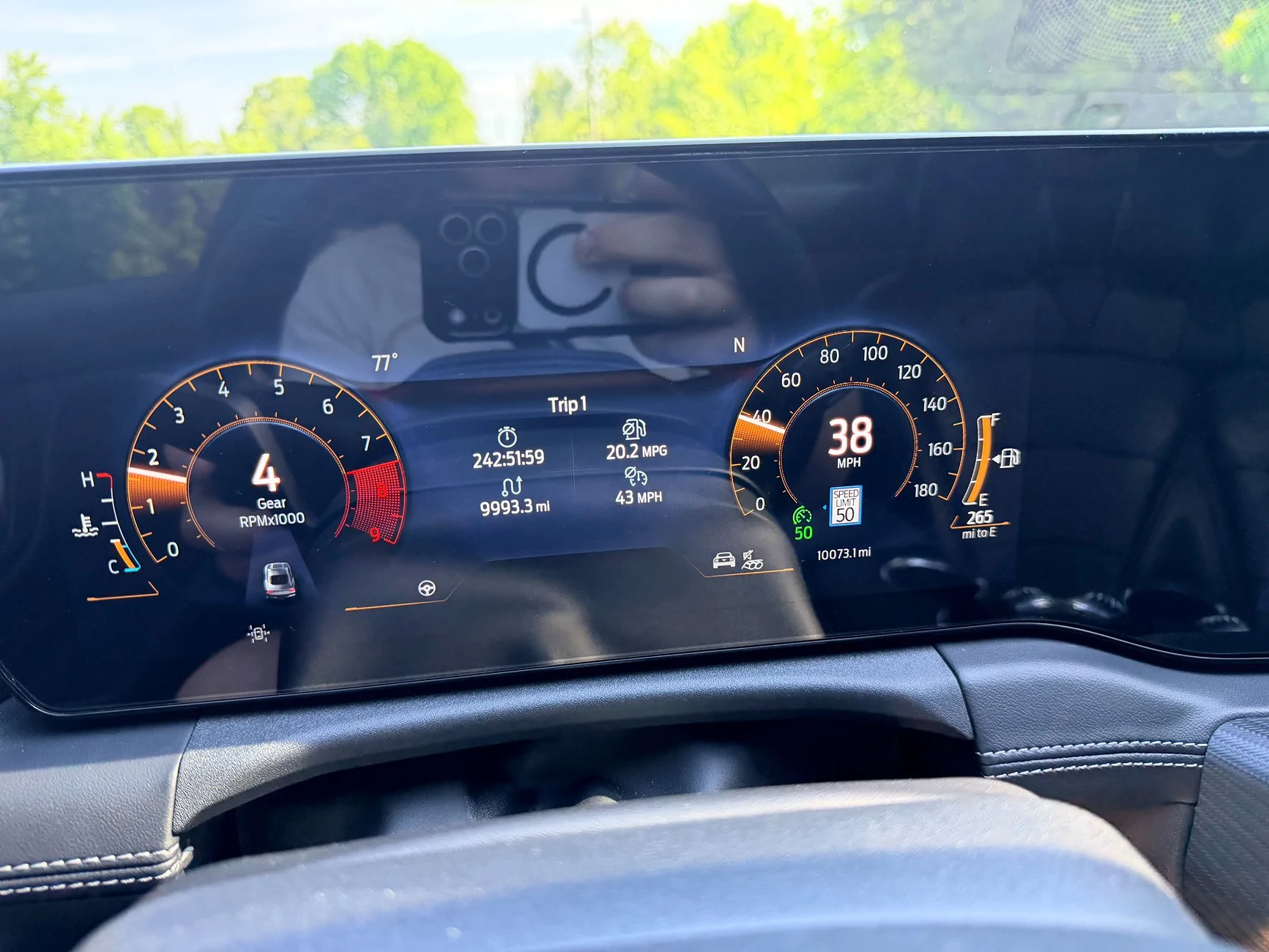
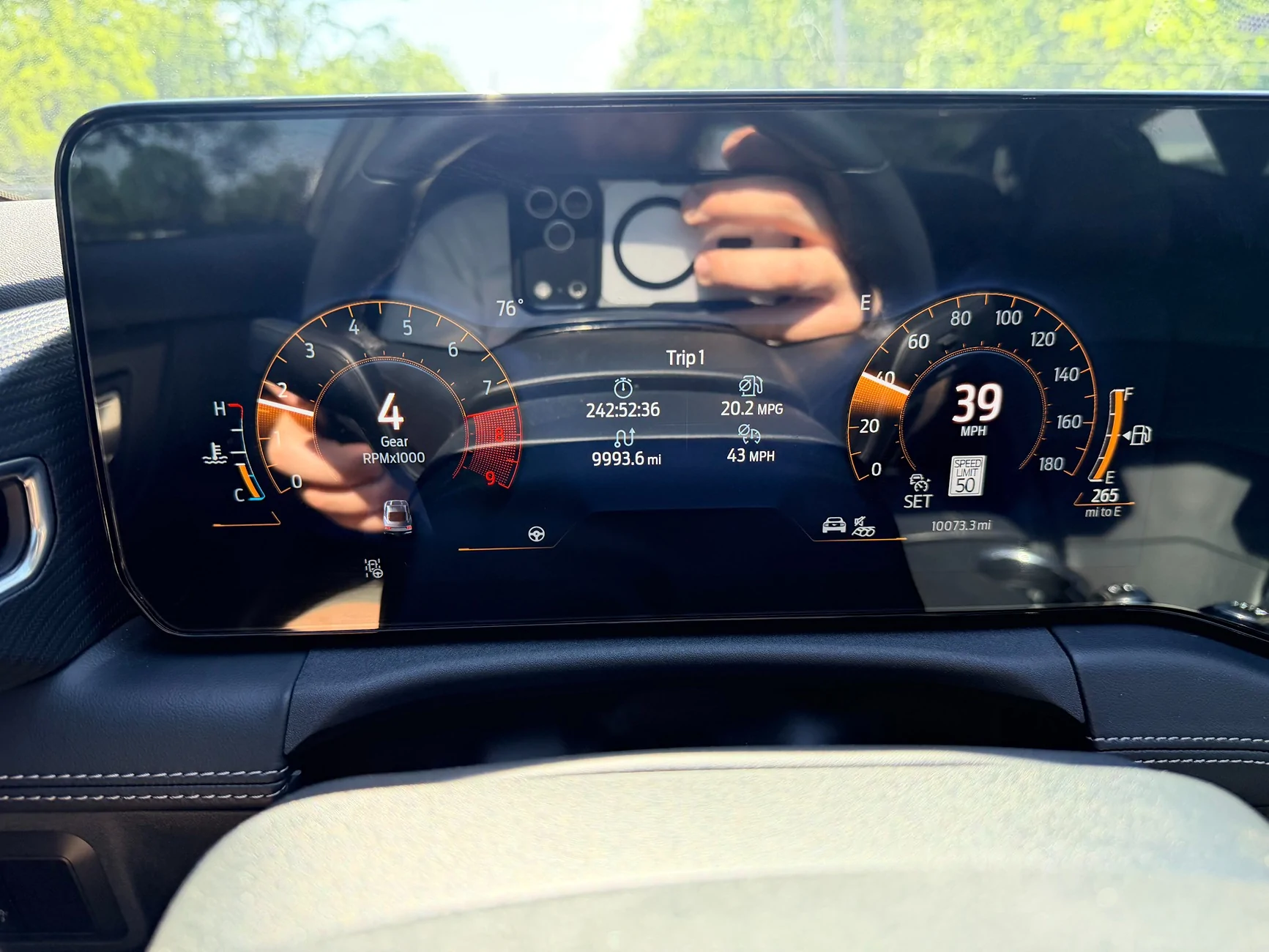
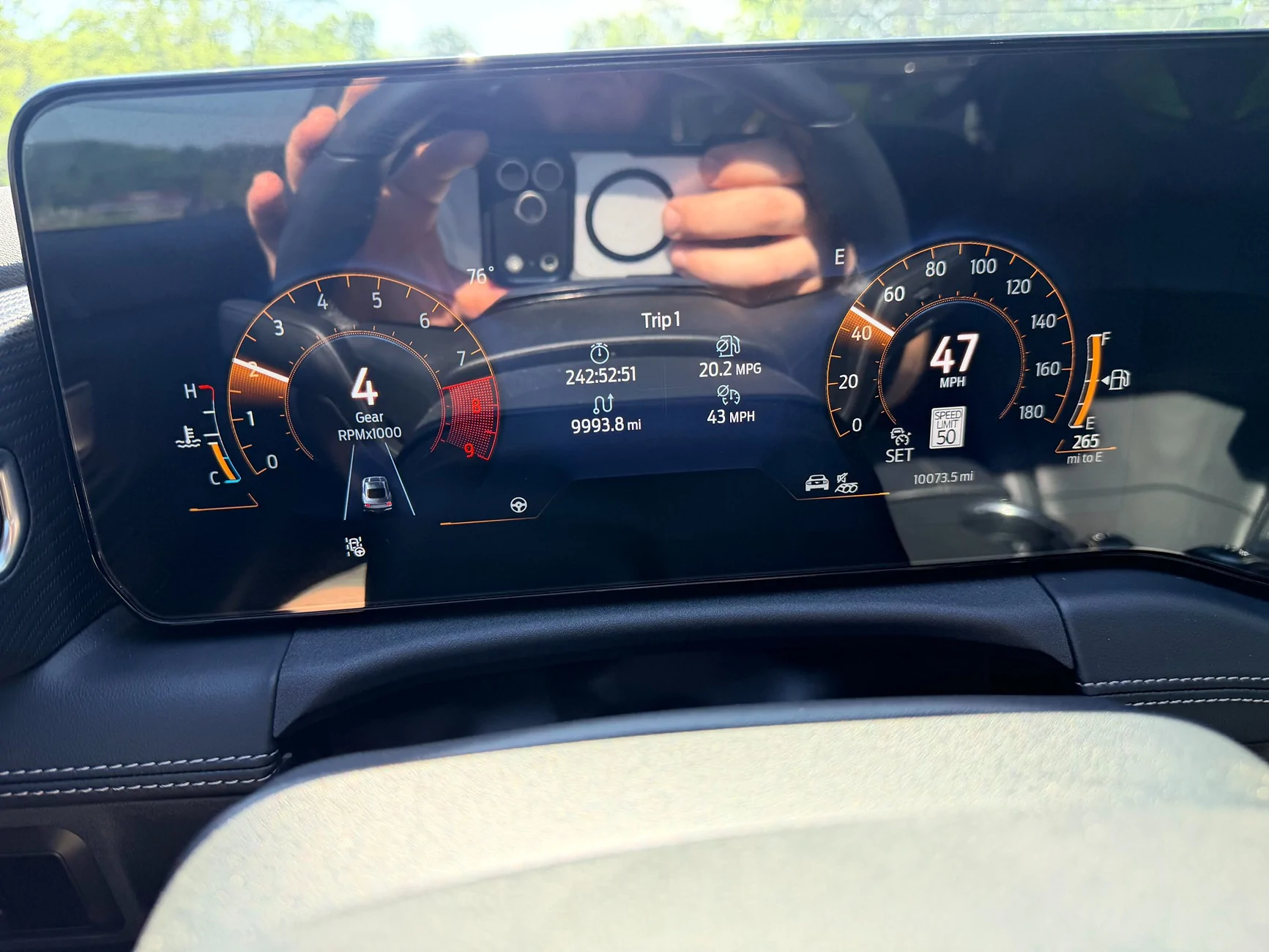
Even though I did not get the option in the center screen to enable lane centering, I believe it did enable it as much as it did on both of your cars. My cruise control would not set a speed, but the intelligent/speed limited cruise does work but only to limit my speed to the speed limit via the gas pedal. The car would not hold the speed limit on its own. I got the little steering wheel icon on the lane display, lane KEEP still works, but I did not get the little blue brackets in the lane. Next thing I am going to try is the APIM values from the sheet @rugedraw posted on page 5 post #65 because that is a 2025 401a car like mine and it has the 4 digit values in the 3rd column like mine. Will update once I've tried that.
Screenshot 2026-05-17 at 10.10.18 AM.webp
IMG_1403.webp
IMG_1404.webp
IMG_1405.webp
IMG_1406.webp
IMG_1407.webp
IMG_1408.webp
IMG_1409.webp
IMG_1410.webp


Sofa King

Well-Known Member
Joined
Jul 14, 2023
Threads
12
Messages
1,622
Reaction score
1,703
Location
In a VAN down by the river
Website
youtu.be
Vehicle(s)
2024 Ecoboost, Vapor Blue, HPP
I finally got some time to play with this. Couple interesting notes on my end.
First: @Yamazuki I followed your last change list guide... as far as I could. I did not change the APIM values you listed. My APIM is certainly running on a different software version because my 3rd column of values is not 2 digits as yours was, mine is 4 digits. See attached picture. Also several of my factory values were not the same as the ones you listed. Some of them were numbers not letters or vice versa. Hindsight I should have notated which ones while I was doing it but I didn't. When I get some more time I will re-load the factory data and go through it again if anybody is curious about that part.
Second: @robotninjasrule I did not get the option in the center screen you got, in fact, my menus look totally different than yours, see attached pictures.

Even though I did not get the option in the center screen to enable lane centering, I believe it did enable it as much as it did on both of your cars. My cruise control would not set a speed, but the intelligent/speed limited cruise does work but only to limit my speed to the speed limit via the gas pedal. The car would not hold the speed limit on its own. I got the little steering wheel icon on the lane display, lane KEEP still works, but I did not get the little blue brackets in the lane. Next thing I am going to try is the APIM values from the sheet @rugedraw posted on page 5 post #65 because that is a 2025 401a car like mine and it has the 4 digit values in the 3rd column like mine. Will update once I've tried that.
Screenshot 2026-05-17 at 10.10.18 AM.webp
IMG_1403.webp
IMG_1404.webp
IMG_1405.webp
IMG_1406.webp
IMG_1407.webp
IMG_1408.webp
IMG_1409.webp
IMG_1410.webp
Some will only post the first two digits in the third column... the last two digits in the third column are not any settings, they are checksums and will be different depending on the digits in that line, and will change on their own... so basically unimportant to the changes you are making.
 
OP
OP
ChillinDylan

ChillinDylan

Member
Joined
Jan 9, 2026
Threads
2
Messages
23
Reaction score
5
Location
USA, Ohio
Vehicle(s)
2025 GT premium 401a 6MT Intense lime yellow metallic
Update: I tried making all three of the lines listed for the APIM the same as the 2025 401a automatic data. I now have the option to enable or disable lane centering on the center screen, however it made no other notable changes. The slider is still in a different location than in robot ninjas pictures. My menus still look like my pictures, not like his which I find interesting.
Also, @Sofa King I understand what you are saying, however it seems strange that two guys would post all 4 digits for every other module except that one, and both of them have non-premium cars. I could be wrong but between that and my center screen menus looking different, I’m inclined to believe I have a different module version or firmware
 

Yamazuki

Well-Known Member
Joined
May 14, 2025
Threads
4
Messages
431
Reaction score
655
Location
North Dakota, USA
Vehicle(s)
2024 Dark Horse, 2013 Ford Raptor, 2004 F150
After doing a little more comparing between my asbuilt and the other DH 600a with the automatic, I found several addresses in the 764 range that had differing values.

From what I understand, addresses in the 764 range are the Cruise control module; and despite some quick internet searches, have not been able to find any information as to what these addresses actually control.

I did however run across a thread on the bronco6g forum where some members were working on this exact same issue. One post in particular caught my eye where they mentioned that a 'deleted ford engineer member' had gotten everything working with no hardware changes and only using forscan. It's a rather long thread and I haven't made it all the way through it yet; so still not sure if those who remained and continued to work on it ever managed to get it working or not.

Edit:
After reading through the full thread of 29 pages on the bronco forum, most of the guys there were more interested in getting stop & go or traffic sign recognition to work. Just about the time someone that actually had the technical knowledge and ability to breakdown the firmware files and see what was really going on came along, someone commented that they couldn't care less about lane centering and the thread died. 😒

One thing that I did find interesting though, was that they were able to get stop & go to work with adaptive cruise. Intelligent Adaptive cruise was not a requirement; but having the doors closed and seatbelt buckled was.
 
Last edited:

Yamazuki

Well-Known Member
Joined
May 14, 2025
Threads
4
Messages
431
Reaction score
655
Location
North Dakota, USA
Vehicle(s)
2024 Dark Horse, 2013 Ford Raptor, 2004 F150
Here is another interesting find!

This is a tutorial for adding these features to a F150 Lightning:
https://www.f150lightningforum.com/...keep-alert-to-2022-f-150-lightning-xlt.14870/

They needed to add hardware (specifically the radar unit), which we're still not 100% sure we would need to change anything; but provide detailed instructions on which forscan settings and the procedures that are required to make it all work.

This is one of the spreadsheets they used to figure out what changes need to be made with forscan


Some addresses line up with our cars while others do not; but if the correct addresses for the outlined settings can be found, the necessary values adjusted, and reset procedures followed... possibly things start to function as expected....maybe.

Just a quick glance between the steps I've tried and what is shown in this spreadsheet and I see that I had several, but not all of the settings shown here.
 
Last edited:

rugedraw

Well-Known Member
Joined
Apr 17, 2024
Threads
1
Messages
460
Reaction score
569
Location
Miami, FL
Vehicle(s)
2021 F150 701a 3.5tt 4x4; 2023 Bronco Sport Badlands; 1991 Mustang 5.0 coupe
I did however run across a thread on the bronco6g forum where some members were working on this exact same issue. One post in particular caught my eye where they mentioned that a 'deleted ford engineer member' had gotten everything working with no hardware changes and only using forscan. It's a rather long thread and I haven't made it all the way through it yet; so still not sure if those who remained and continued to work on it ever managed to get it working or not.
The Bronco is very different from these cars. They still use the old system to manage driver assist functions. They have both and IPMA and an IPMB whereas these cars only have an IPMA. Whatever is required to get this to work on the Bronco would differ from these vehicles.
 

Yamazuki

Well-Known Member
Joined
May 14, 2025
Threads
4
Messages
431
Reaction score
655
Location
North Dakota, USA
Vehicle(s)
2024 Dark Horse, 2013 Ford Raptor, 2004 F150
The Bronco is very different from these cars. They still use the old system to manage driver assist functions. They have both and IPMA and an IPMB whereas these cars only have an IPMA. Whatever is required to get this to work on the Bronco would differ from these vehicles.
Yeah, the bronco stuff left the conversation right away.
The Lightning on the other hand; with basically a wire harness and radar module, this guy was able to get intelligent adaptive cruise control with lane centering working on a vehicle that didn't even have it as an option!

I did a little bit of comparison between files last night and we already have a lot of the stuff he was turning on already enabled in our cars. Stuff like TSR and the radar type being Fusion, blah blah blah. There are some new things that popped up here and there, but I still think this entirely doable.
 

rugedraw

Well-Known Member
Joined
Apr 17, 2024
Threads
1
Messages
460
Reaction score
569
Location
Miami, FL
Vehicle(s)
2021 F150 701a 3.5tt 4x4; 2023 Bronco Sport Badlands; 1991 Mustang 5.0 coupe
Yeah, the bronco stuff left the conversation right away.
The Lightning on the other hand; with basically a wire harness and radar module, this guy was able to get intelligent adaptive cruise control with lane centering working on a vehicle that didn't even have it as an option!

I did a little bit of comparison between files last night and we already have a lot of the stuff he was turning on already enabled in our cars. Stuff like TSR and the radar type being Fusion, blah blah blah. There are some new things that popped up here and there, but I still think this entirely doable.
Yea, to add ACC, you need to add a cruise control module, but lane centering relies on the camera mounted on the windshield.

I still think it has to do with the PSCM firmware that differs between the auto and manuals.
 

GrabThatBlue

Well-Known Member
Joined
Jan 13, 2025
Threads
36
Messages
2,327
Reaction score
2,499
Location
Between Canada and Europe
Vehicle(s)
Mustang GT Premium, 401A, 10R80, PP, AE, NPP, MR, Recaro
Yeah, the bronco stuff left the conversation right away.
The Lightning on the other hand; with basically a wire harness and radar module, this guy was able to get intelligent adaptive cruise control with lane centering working on a vehicle that didn't even have it as an option!

I did a little bit of comparison between files last night and we already have a lot of the stuff he was turning on already enabled in our cars. Stuff like TSR and the radar type being Fusion, blah blah blah. There are some new things that popped up here and there, but I still think this entirely doable.
Well TSR can be turned on for vehicles that don't have it. I already did a few for some people. But lane centering is a different story and I don't want to go that far with experimenting.
 

robotninjasrule

Active Member
Joined
Aug 4, 2025
Threads
4
Messages
39
Reaction score
75
Location
Canada
Vehicle(s)
24 GT
Our problem is we are trying to enable it on a manual transmission. Closest yet far away cousin is the bronco manual which has a totally different IPMA lay out.
Yeah, the bronco stuff left the conversation right away.
The Lightning on the other hand; with basically a wire harness and radar module, this guy was able to get intelligent adaptive cruise control with lane centering working on a vehicle that didn't even have it as an option!

I did a little bit of comparison between files last night and we already have a lot of the stuff he was turning on already enabled in our cars. Stuff like TSR and the radar type being Fusion, blah blah blah. There are some new things that popped up here and there, but I still think this entirely doable.
 

Yamazuki

Well-Known Member
Joined
May 14, 2025
Threads
4
Messages
431
Reaction score
655
Location
North Dakota, USA
Vehicle(s)
2024 Dark Horse, 2013 Ford Raptor, 2004 F150
Well, I think I've just about expended everything that I can think of to try and get this to work.

Over the last couple of days I went through all of the settings referred to in the spreadsheet that told how to enable these options for the Lightening, compared them to the spreadsheet for the mustang and found the correct corresponding addresses, compared those to my asbuilt along with the asbuilt for the A10 DH, made all of the appropriate changes, and it's still a no go. Things did seem to be working a little more correctly, but I still could not get the cruise to actually set.

For anyone that's still interested, I've attached all of the settings I've tried this go around.
The only thing that I did not do, that is shown in the pdf, was to recalibrate the CCM. Since these instructions were primarily related to adding the radar unit that our cars already have and is already calibrated, I did not feel like that was a necessary step.
Sponsored


Attachments


Top