Sponsored

Tips for photographing black cars?

BlueWayOut

Active Member
Joined
May 4, 2026
Threads
6
Messages
28
Reaction score
103
Location
Twin Cities, Minnesota
Vehicle(s)
2026 Mustang GT 5.0 Premium -- in Shadow Black, w/ Bronze Appearance Package
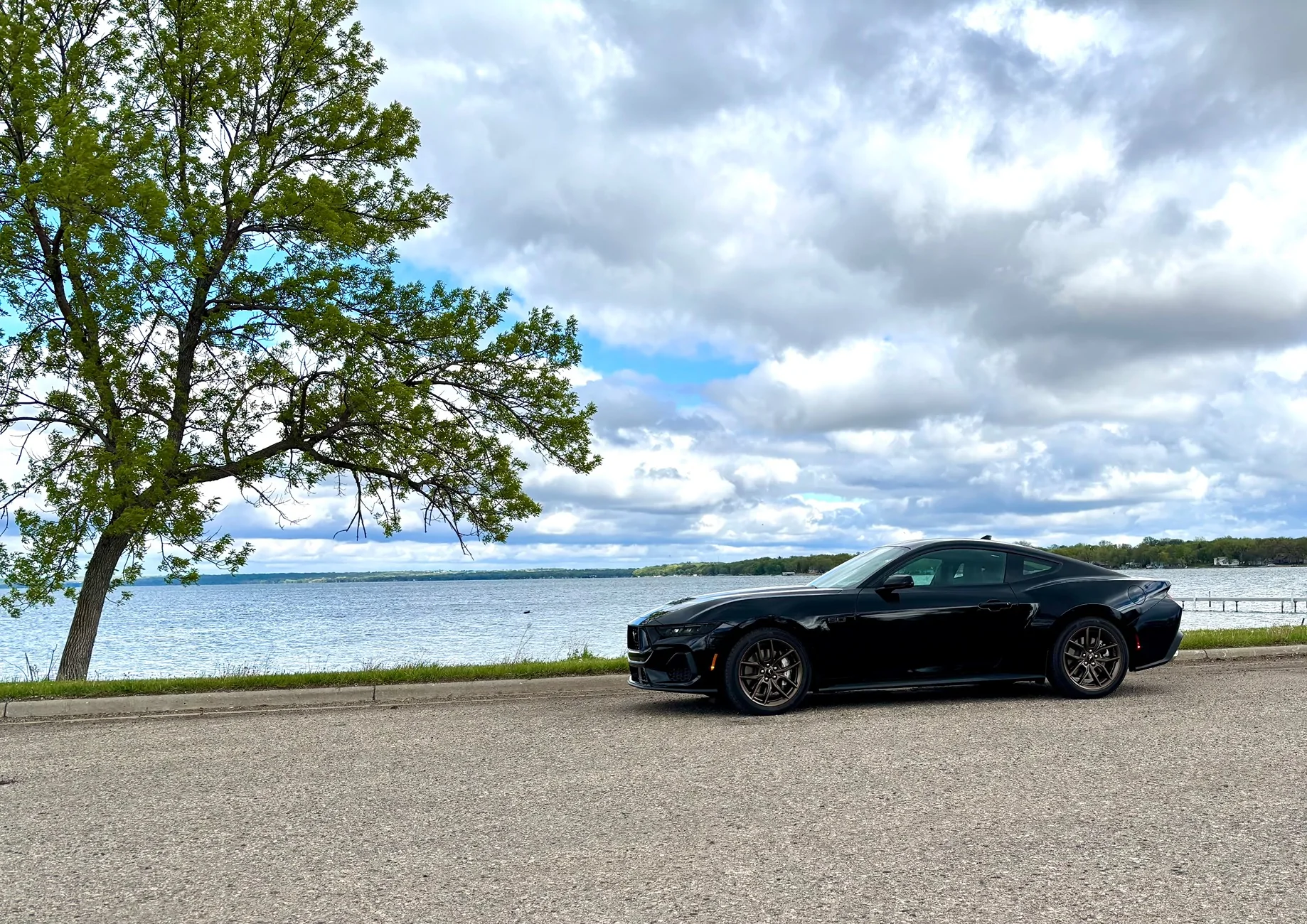
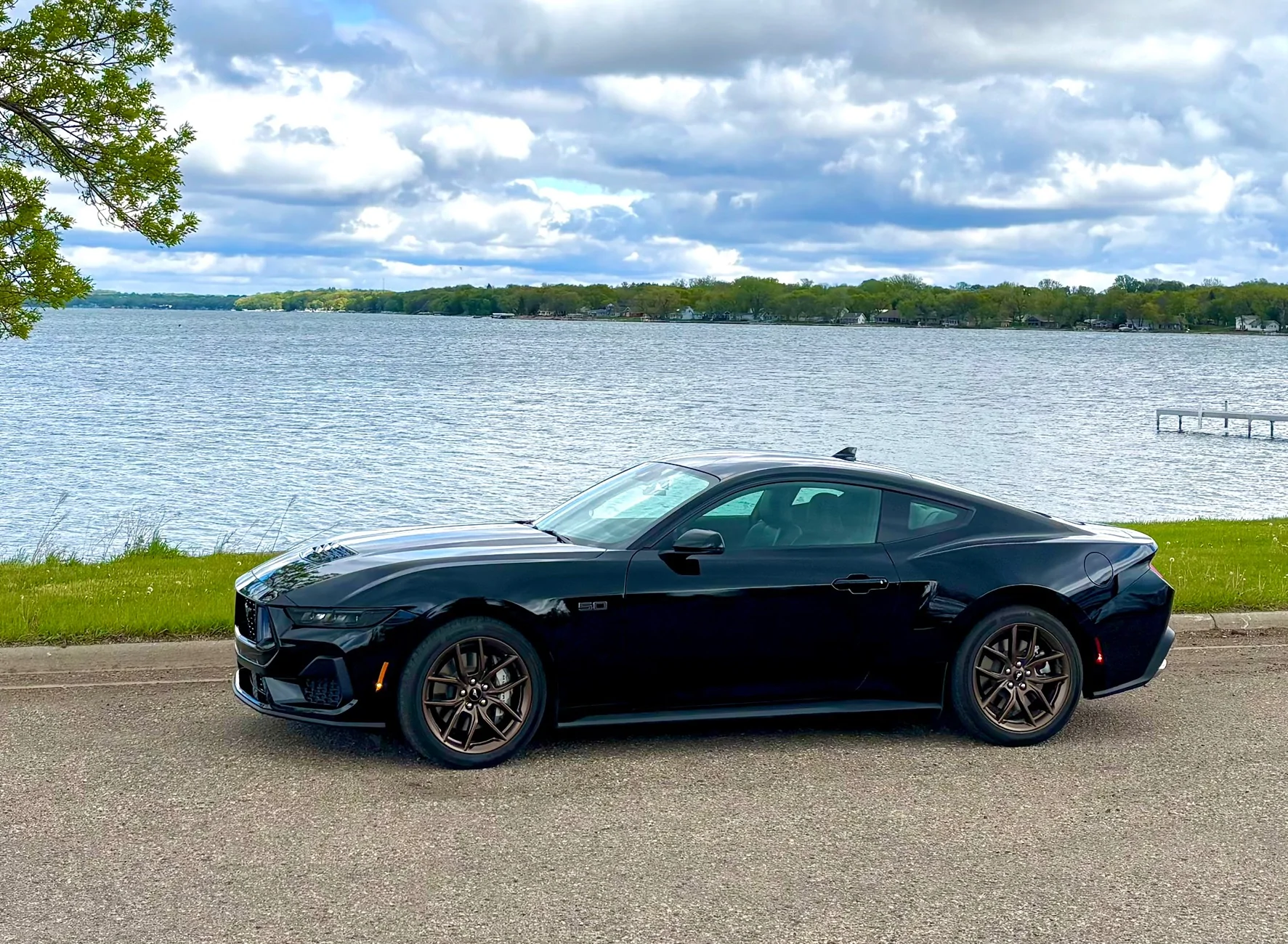
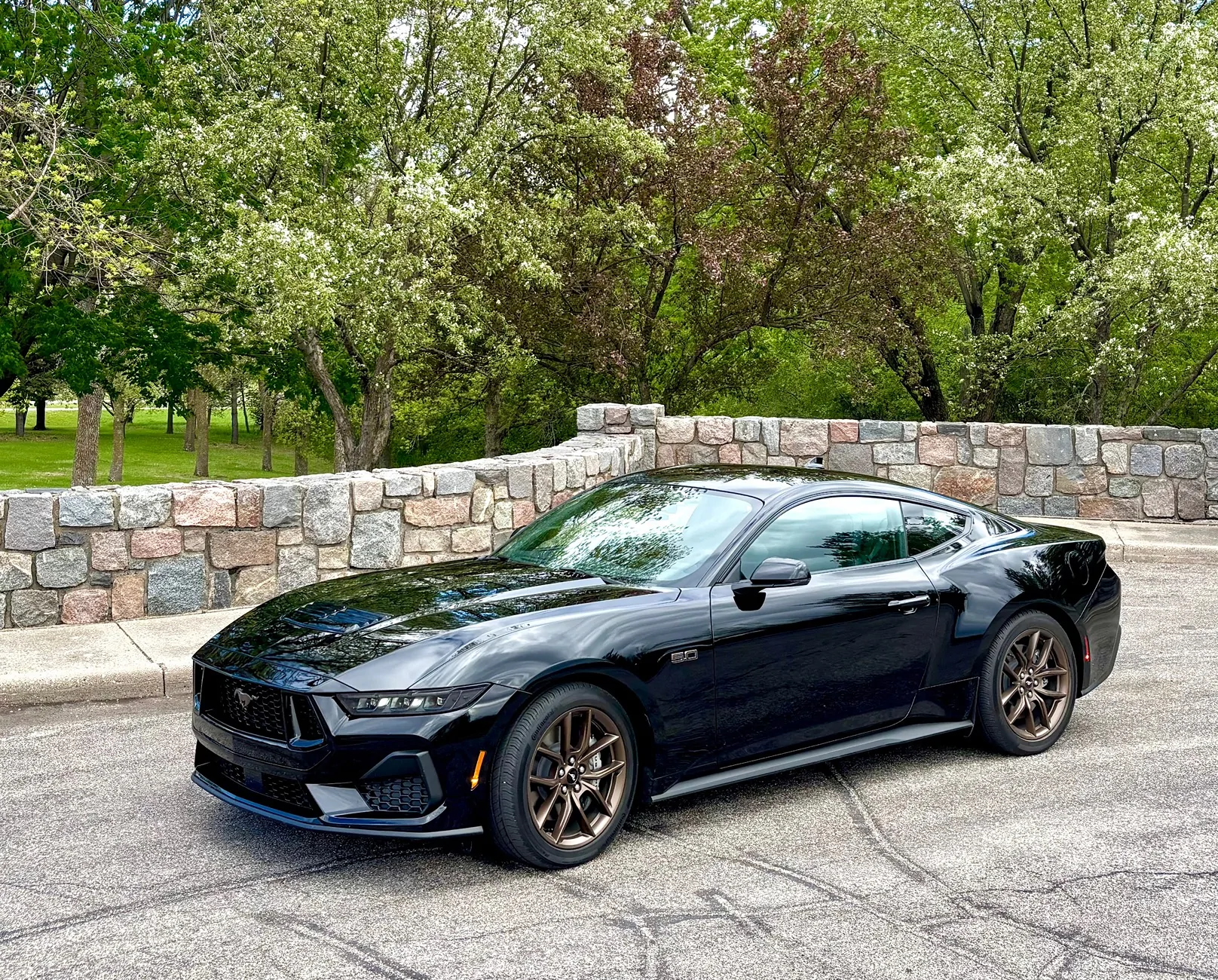
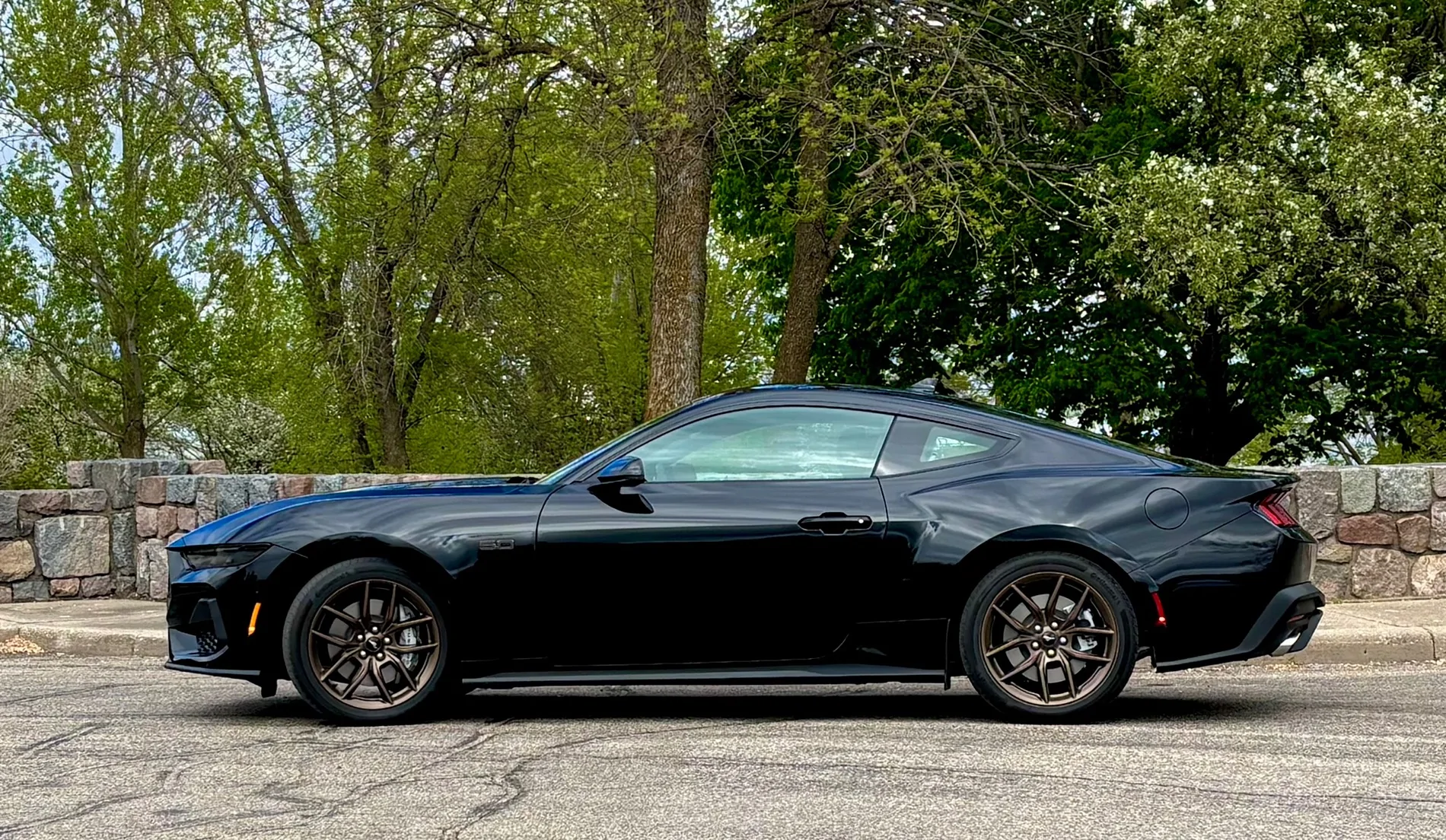
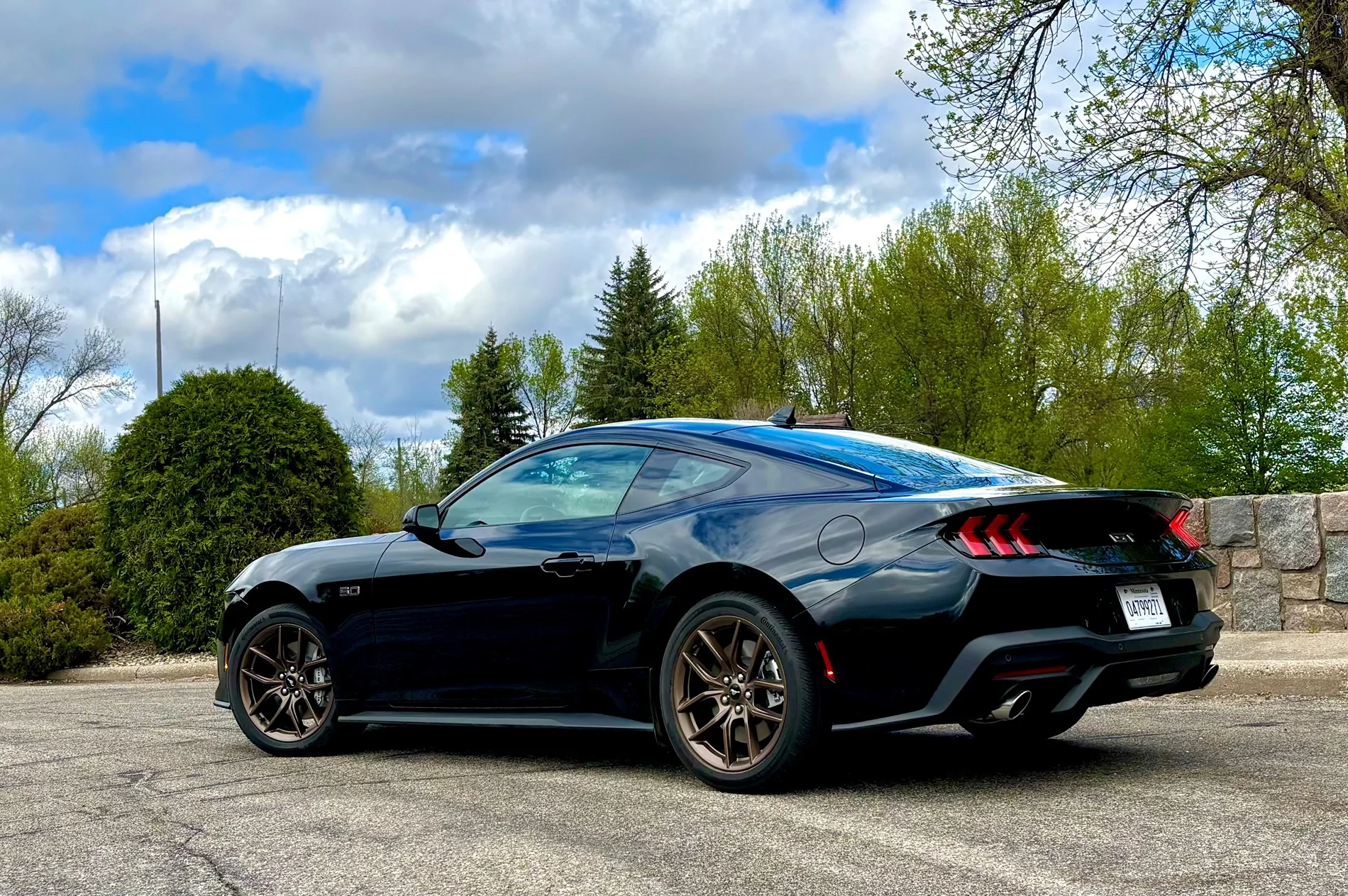
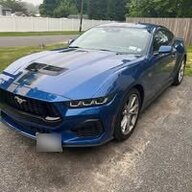
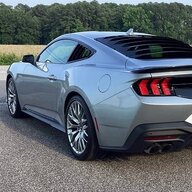
I’m floundering around with how hard it is to take decent pictures of a black car.

The car looks phenomenal in-person. Its contours and shapes are captivating and compelling. But in photos, all the details seem to “moosh” together, and get lost in a big blob of black. Suggestions / hints?

Beyond waiting for “golden hour” (which I acknowledge I should do) 🌅

Thanks, guys.


S650 Mustang Tips for photographing black cars? IMG_2533

S650 Mustang Tips for photographing black cars? IMG_2534

S650 Mustang Tips for photographing black cars? IMG_2537

S650 Mustang Tips for photographing black cars? IMG_2541
S650 Mustang Tips for photographing black cars? IMG_2539
Sponsored


Snakebyte

Well-Known Member
Joined
Jun 26, 2020
Threads
0
Messages
79
Reaction score
115
Location
West Central FL
Vehicle(s)
Mustang, Fusion
If the car is your main subject and the background is not important, adjust the lighting on a dark section of the car. On an iPhone, you can touch the screen where the car is and you'll see a rectangle appear where you touched. That will fool the camera into forgetting the "average lighting" of the entire frame. When I'm taking photos, I'll touch the phone screen in multiple light and dark places and then later choose which gives me the best clarity and balance for what I thought was the intended "best look".
Cloudy days can be a blessing, evening out the lighting for you (An overcast sky bounces lighting around, making less harsh contrasts.) You may have noticed professional photographers use the bouncing light principle with silver/white screens reflecting light from behind the camera directly at the side of the car.

EDIT...BTW...because your shadows are not sharp, you obviously took the pics when the clouds were diffusing light, so performing trials on getting the touch "light meter" on the camera/screen may be your better solution.

If you take some white school project display boards you can set on the ground (out of view from the camera of course) that can reflect light directly toward the side of the car, that could help highlight the cars cool feature lines.
 
Last edited:


steveo1960

Well-Known Member
Joined
Apr 1, 2018
Threads
46
Messages
1,035
Reaction score
947
Location
USA
Vehicle(s)
2024 Mustang GT Premium 401a, Auto, AE, Atlas Blue
Looks great to me!! My previous 2003 Mustang GT vert was black and it was very difficult to keep clean.

I was going to suggest taking photos within 30 minutes of washing/waxing etc because it will only go downhill from there :) You probably know this already!
 

OldCoastie

Well-Known Member
Joined
Dec 12, 2025
Threads
18
Messages
217
Reaction score
320
Location
Kissimmee,Fl
Vehicle(s)
2020 Cadillac XT4, 2026 Mustang GT Premium Convertible, Race Red
Much of the work is done during the processing of the File. First if you can us the ,RAW format instead of JPEG, this allows you to have a much winder range during the processing RBG on the spectrum graph. If you don't know what I am talking about then you do not use DXO or Photoshop. This is were you can finely adjust the black, contrast, brightness, shadows, saturation, balance and so on where you can focus on a certain part of the car or the entire car, make the background darker while making the sky blue. So much you can do if you shoot DSR cameras, and use application to process your photos. Phone cameras are great, but they just cannot compare to a Nikon, or Cannon camera and lenses. Hope this helps, if you know photolab you can easily do what you want.
 
OP
OP
BlueWayOut

BlueWayOut

Active Member
Joined
May 4, 2026
Threads
6
Messages
28
Reaction score
103
Location
Twin Cities, Minnesota
Vehicle(s)
2026 Mustang GT 5.0 Premium -- in Shadow Black, w/ Bronze Appearance Package
I appreciate the advice guys, keep it comin' !! And I should have stated up front, I am using an iPhone versus an SLR camera . . . which I'm sure is part of the problem. 🤓
 

OldCoastie

Well-Known Member
Joined
Dec 12, 2025
Threads
18
Messages
217
Reaction score
320
Location
Kissimmee,Fl
Vehicle(s)
2020 Cadillac XT4, 2026 Mustang GT Premium Convertible, Race Red
OK, so if you are not into photography, I was thinking of things you could do to help, as I do admit photographing a black car is extremely difficult, but I can provide you some pointers. First time of day is so important when shooting a black car, shot about 1 hour AFTER sunrise, or just before sunset. Whatever you do DONOT shot during midday sun as it blends all the highlights, and smooths out all the body details and its shape lines. Midday sun has overhead shadows and is about the worse time of day to shoot anything. On the other hand overcast days, cloudy days, not partly clouding as light varies to fast, but just an overcast day is excellent for shooting black cars as the clouds act as a light filter and highlights the lines and details of the car. Now for the background, the simpler the background the more focus you have on you car. So photo with opens skies, clean pavement, (if you can hose down the pavement as it give a better definition then a dry pavement, especially blacktop.) Ultra modern architecture was always a big background used for years by photographers, give it that upscale look. Mountain and coastal roads not pariking lots or overlooks, but roads. Whatever you do avoid parking lots, city scene, because your car reflects other cars, people etc. How you hold your camera and the angle you shoot the car makes a big difference, the lower you shoot the more agressive the car looks. The standard car shoots uses the follow angles, Front 3./4 angle, Rear 3/4 angle, Low side profile, Headlights on detail shots. So now for the most important part is your exposure. What I think you are seeing about black cars they either are too dark, no details, or details with washed out back that almost looks dark gray. OK trying this set your camera to slight underexpose (-0.3 to -0.7 EV), as I stated before shoot RAW not JPEG if possible. LOWER you ISO for a much cleaner shoot avoid very high ISOs. OK not for the super secret, us a POLARIZING FILTER, a circular polarizer that lets you control light. THIS is the BEST tool to photograph black cars because it reduces glare, deepens the paint colors, and control Windshield reflections. and as an added bonus really makes the sky looks great. So if you have to shoot with a phone camera, then you can do somethings to help, but nothing compares to a DSR. So tap the darkest part of the car to get a better exposure. Lower eposure slightly, USE THE PORTRAIT MODE, but be careful, and of course CLEAN the lens before you take photo.

I hope this helps you, it is not easy, and a camera works better than the photo, remember ,RAW format if you can. Processing makes all the differance and I recommend Adobe Photolab.

Cheers
 

Idlewilde

Member
Joined
Dec 20, 2025
Threads
0
Messages
14
Reaction score
15
Location
Florida
Vehicle(s)
Explorer
As mentioned above you are only going to get the tack sharp shots you want with with an iPhone if you follow "oldcoastie's" advice. Otherwise you need a quality SLR with an equally quality lens (ie a pro lens, not a pro-sumer lens).
 

Redback

Well-Known Member
Joined
Apr 27, 2024
Threads
13
Messages
128
Reaction score
205
Location
Canada
Vehicle(s)
2024 Mustang GT PP 301A Manual, Shadow Black.
If you don’t want to do get into a lot of post-production, here are a couple of tips for you (25 years as a professional photographer):

1. Remember that light objects have their shape defined by shadow; dark objects have their shape defined by highlights. So if you want more definition of shape and contours, you need a broader and more expansive light source, so more highlights will be reflected off the surface. Shoot on an overcast day. The cloud cover forms a gigantic “soft box” resulting in a light source coming from multiple angles and thus more definition of the contours.

2. Cameras and phones are designed by nature to calculate exposure based on an average of the entire scene. Very bright or very dark areas of the frame will end up as washed out specular highlights or dark blocked up shadows in favour of the average tones in the frame. So you need to somehow compensate for this. Without getting into exposure control, the easiest way to do this is to fill the frame with your subject, in this case a black Mustang, so the camera sees the dark subject material as the main subject. Do not shoot it against a bright background. The only caveat here is that if you were to shoot a black Mustang against a black background, all the camera would see is darkness and tend to overexpose the frame. So, in the interest of keeping it simple, fill the frame with the car against a tonally neutral background.

3. Shoot RAW. The camera captures a far broader range of tonal data and allows for a heck of a lot more post production manipulation without a drop in image quality. You can really rescue poorly exposed images in this format, just using the Photos app on your phone.

Hope this helps.

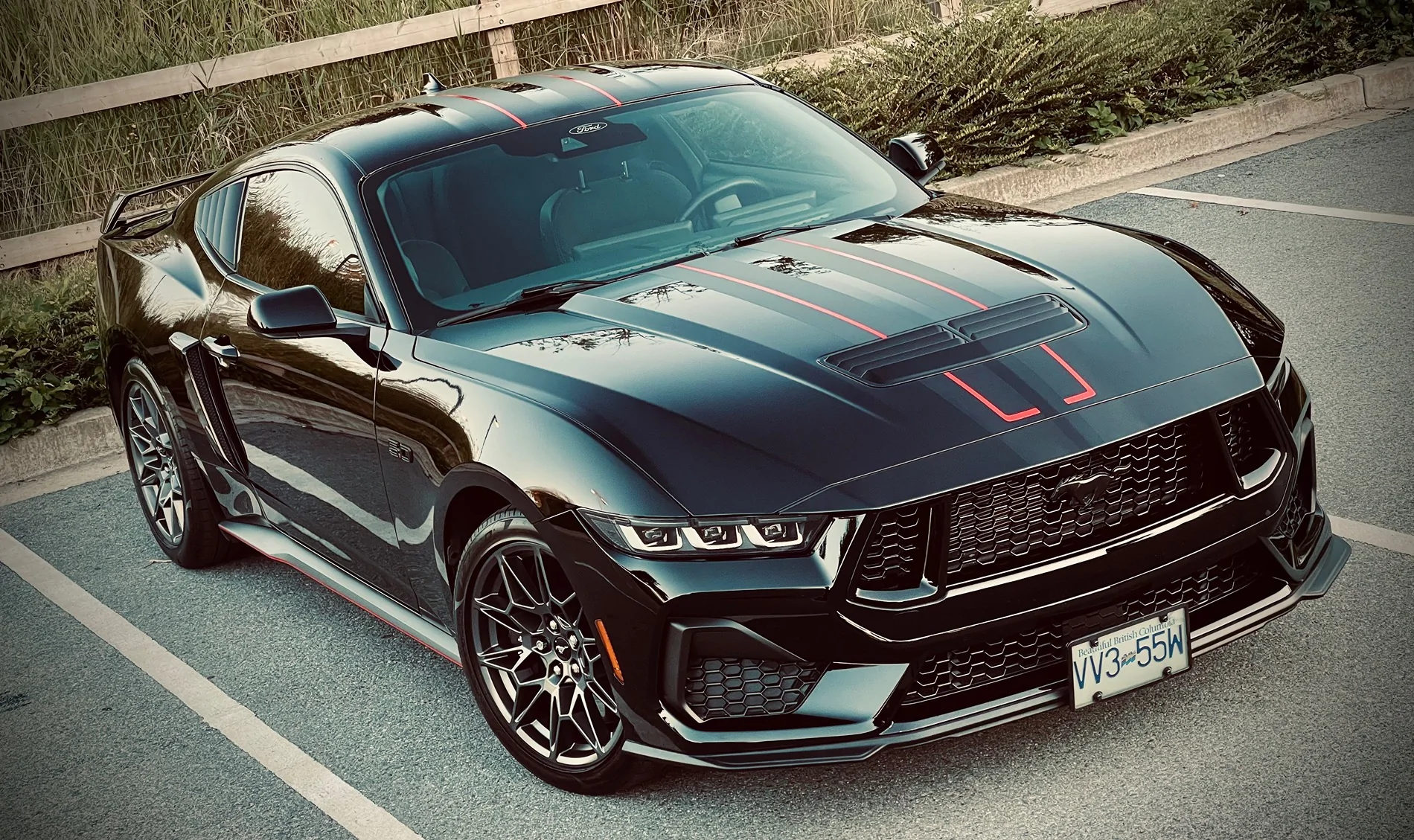
Here’s my black beauty, photographed with my iPhone.

Long live the darkness.
S650 Mustang Tips for photographing black cars? IMG_5330
 
OP
OP
BlueWayOut

BlueWayOut

Active Member
Joined
May 4, 2026
Threads
6
Messages
28
Reaction score
103
Location
Twin Cities, Minnesota
Vehicle(s)
2026 Mustang GT 5.0 Premium -- in Shadow Black, w/ Bronze Appearance Package
. . . . Here’s my black beauty, photographed with my iPhone.

Long live the darkness.
IMG_5330.webp
Well done, sir! That's an amazing photo. And thanks for all the advice. From you -- and from everyone. It's practical and actionable. I appreciate it -- keep it comin' !! Cheers 🍻
 

Starship Enterprise

Well-Known Member
Joined
Jun 15, 2025
Threads
8
Messages
1,155
Reaction score
1,682
Location
MD
Vehicle(s)
2025 Mustang GT Premium
Make sure the sun is at your back and try using Night Mode, it has longer exposures.

Also try dark backgrounds like a tree line so the contrast isn't killing the shot.

lol...realized I'm just saying what Redback said....
 

Deleted member 65426

Guest
If you still don't like the images, there's an inexpensive fix. Purchase a small polarizing filter that's big enough to surround your lens (phone or camera lens). Watch the image in the device view monitor and rotate the filter 90 degrees either direction until you see what you like. Presto! No reflections. Problem solved. I'm a retired photographer of 50+ years. For pros, a polarizing filter is a must-have tool. Good luck.
Sponsored


Top