Sponsored

Is this possible via forscan? (speed warning and puddle lights)

npole

Well-Known Member
Joined
Jul 12, 2020
Threads
12
Messages
513
Reaction score
301
Location
Italy
Vehicle(s)
Mustang Dark Horse 2024
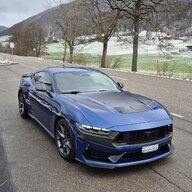
I do own a EU Dark Horse, it comes with the speed warning thing (beeping when you exceed the speed limits), the issue is it reads the road signals but often it fails, it's really annoying while driving in the city, sometime it reads 10kmh from private roads and it doesn't forget about it until it reads another signal.. so ti start to beep at me while driving at 50kmh... and so on. I have to disable the speed warning every time I start the car (as it resets to ON even if you deactivate it via menu), hence the question: is there a way to disable this "feature" via ForScan?

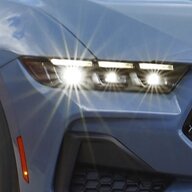
The second question is about the puddle lights (pony logo), they comes on only with the "welcome lights" (when I approach the vehicle), they goes off once I unlock the car, doesn't light up when I open the door like they used to do with my S550. Is there a way to change this behavior via ForScan?

As said it's a EU car, so it may be different from those in the US.
Sponsored
 

snodge

Well-Known Member
Joined
Nov 10, 2023
Threads
0
Messages
55
Reaction score
33
Location
Hessle, UK
Vehicle(s)
Ferrari Portofino M / Mustang Dark Horse / SLK AMG55 / Leon ST Cupra 300 4Drive
I'm in the UK so have the same EU speed limit notification. I've been through loads of different options using Forscan but haven't been able to disable it. I have however managed to enable the 'Speed Limit Assist Tolerance' menu but that only allows upto 4MPH over-speed (goes to 5MPH in the menu but resets to 4MPH). I've also enabled the 'Intelligent Adaptive Cruise Control Tolerance'.
 

NicoMCH

Well-Known Member
Joined
Jun 19, 2015
Threads
2
Messages
201
Reaction score
119
Location
Zürich, Switzerland
Vehicle(s)
EU Dark Horse Premium 2024
I'm in the UK so have the same EU speed limit notification. I've been through loads of different options using Forscan but haven't been able to disable it. I have however managed to enable the 'Speed Limit Assist Tolerance' menu but that only allows upto 4MPH over-speed (goes to 5MPH in the menu but resets to 4MPH). I've also enabled the 'Intelligent Adaptive Cruise Control Tolerance'.

Oh interesting, do you have the codes for that or are they easy to find in the thread about the codes and all?

In the EU section, I think you posted the codes for remote rev and gear display on an automatic transmission. Will definitely use the one for remote rev 😄.
 
OP
OP

npole

Well-Known Member
Joined
Jul 12, 2020
Threads
12
Messages
513
Reaction score
301
Location
Italy
Vehicle(s)
Mustang Dark Horse 2024
Mine has already the "tolerance menu".. but it has no use, now I disable the speed warning each time i start the car.. until a solution is found. :(
What's the code for remote rev? Does it enables it in the app.. or it will activate the function on the remote? I've found that some remote combos still work (like opening the windows).
 

GrabThatBlue

Well-Known Member
Joined
Jan 13, 2025
Threads
36
Messages
2,427
Reaction score
2,657
Location
Between Canada and Europe
Vehicle(s)
Mustang GT Premium, 401A, 10R80, PP, AE, NPP, MR, Recaro
Did you disable the beeps? I found a line in Forscan where I compared EU to NA and saw that NA has beeps off and EU have beeps on. I'm not sure if this disables the speed warning, but it might be.

Information Chimes (IC) • Warning Chimes (WC) •
APIM 7D0-09-04 xxx* xxxx xx--
NA: 1
EU: 9


• Chime for Speed Limit Change (CSLC)
7D0-10-02 7D0-10-02 xxxx xxxx x*--
NA: 0
EU: 4


TSR Overspeed Chime (TSROC)
7D0-09-02 xxxx xx*x xx--
NA: 0
EU: 1

These are the chime differences between NA and EU.
My bet is that you are talking about TSR Overspeed Chime, so set that one to 0 and problem solved.
 
Last edited:


Gregs24

Well-Known Member
Joined
Aug 31, 2018
Threads
10
Messages
2,793
Reaction score
1,546
Location
Wiltshire UK & Charente FR
Vehicle(s)
Mustang V8 GT, Ford Kuga PHEV
I do own a EU Dark Horse, it comes with the speed warning thing (beeping when you exceed the speed limits), the issue is it reads the road signals but often it fails, it's really annoying while driving in the city, sometime it reads 10kmh from private roads and it doesn't forget about it until it reads another signal.. so ti start to beep at me while driving at 50kmh... and so on. I have to disable the speed warning every time I start the car (as it resets to ON even if you deactivate it via menu), hence the question: is there a way to disable this "feature" via ForScan?

The second question is about the puddle lights (pony logo), they comes on only with the "welcome lights" (when I approach the vehicle), they goes off once I unlock the car, doesn't light up when I open the door like they used to do with my S550. Is there a way to change this behavior via ForScan?

As said it's a EU car, so it may be different from those in the US.
Regarding the puddle lights, the logo will not display correctly with the mirrors unfolded, which happens when you unlock the door, so there is no point trying to make it work.
 
OP
OP

npole

Well-Known Member
Joined
Jul 12, 2020
Threads
12
Messages
513
Reaction score
301
Location
Italy
Vehicle(s)
Mustang Dark Horse 2024
Regarding the puddle lights, the logo will not display correctly with the mirrors unfolded, which happens when you unlock the door, so there is no point trying to make it work.
It'll be projected rotated and apart, that I believe is good enough to illuminate the space next to the door... or at least that's what I believe. It may be okayish... sort of.
 

Fruitstang

Well-Known Member
Joined
Jan 7, 2018
Threads
11
Messages
319
Reaction score
214
Location
Germany
Vehicle(s)
2024 Mustang GT Convertible
I have however managed to enable the 'Speed Limit Assist Tolerance' menu but that only allows upto 4MPH over-speed (goes to 5MPH in the menu but resets to 4MPH). I've also enabled the 'Intelligent Adaptive Cruise Control Tolerance'.
As another user asked, would you share the changes needed for that?
 

snodge

Well-Known Member
Joined
Nov 10, 2023
Threads
0
Messages
55
Reaction score
33
Location
Hessle, UK
Vehicle(s)
Ferrari Portofino M / Mustang Dark Horse / SLK AMG55 / Leon ST Cupra 300 4Drive
As another user asked, would you share the changes needed for that?
Sure, I assume you know how to use Forscan? I haven't changed anything with Forscan for quite a while now but my notes for all the changes I made and that worked are as follows. I hope they are self-explanatory.
Forscan Modules & Bit Changes
Remote Rev
7E0-162-04
2nd bit - 1 to 2​
Continuous Gear Display
720-12-01
3rd bit - C to E​
Walk Away Lock
7D0-09-05
5th bit - 0 to C (inc. feedback) or 8 (no feedback)​
726-91-01
6th bit - 0 to 1​
726-97-02
2nd 4th 6th 8th 10th - 0 to 1​
Audible Walk Away Lock
726-97-01
10th - 0 to 1​
Seatbelt Display Remove
720-13-01
F100 0001 002D > 0000 0000 0000​
720-13-02
0120 005D > 0000 0000​
Fake Exhaust Sound Through Speakers Disable
727-01-01
9th bit – 1 to 0​
Forscan Pre-Defined Tweaks
Speed Limit Assist Tolerance
Disabled > Enabled (Maximum setting 5MPH, reverts to 4PMH)​
Intelligent Adaptive Cruise Control Tolerance
Disabled > Enabled​
Menu - Forward Collision Warning
Disabled > Enabled (Adds menu to Driver Assistance menu)​
Chimes - Key In Ignition Reminder
Enabled > Disabled​
Chimes - Vehicle Running With Door Open
Enabled > Disabled​
Door Ajar Warning
Enabled > Disabled​
 

Fruitstang

Well-Known Member
Joined
Jan 7, 2018
Threads
11
Messages
319
Reaction score
214
Location
Germany
Vehicle(s)
2024 Mustang GT Convertible
Thank you, and yes, I know how to work with Forscan and have all changes already, seatbelt differently though.
Only thing missing is the tolerance option.

With "Pre defined tweaks" you mean what?
Easy mode? For that we would also need to know the respective module.
 

snodge

Well-Known Member
Joined
Nov 10, 2023
Threads
0
Messages
55
Reaction score
33
Location
Hessle, UK
Vehicle(s)
Ferrari Portofino M / Mustang Dark Horse / SLK AMG55 / Leon ST Cupra 300 4Drive
Thank you, and yes, I know how to work with Forscan and have all changes already, seatbelt differently though.
Only thing missing is the tolerance option.

With "Pre defined tweaks" you mean what?
Easy mode? For that we would also need to know the respective module.
Yes, it was something like Easy Mode - I don't currently have Forscan installed so I can't check. I didn't make a note of the modules so you'll have to look through the main ones.

I should also mention that if you enable the Walk Away Lock it works great but a menu option appears for it - if you disable it in the menu, you can't then re-enable, and have to use Forscan again.
 

Fruitstang

Well-Known Member
Joined
Jan 7, 2018
Threads
11
Messages
319
Reaction score
214
Location
Germany
Vehicle(s)
2024 Mustang GT Convertible
Ok, thanks, but not enough info :wink:.

Sergeant google / Gemini spits out this:


To activate the Speed Limit Assist Tolerance on a Mustang running SYNC 4 (typically 2021+ Mach-E or 2024+ S650 generation), you must enable the menu options using FORScan. [1, 2]
Because SYNC 4 platforms use the updated "Plain English" (non-As-Built) configuration menus in FORScan, you generally do not need to manually calculate complex hex strings.

Step 1: APIM Module Adjustments
Open FORScan, connect to your car, and choose the non-As-Built configuration option for your infotainment screen. [1]
  • Module to select: APIM (Module Configuration) — do not select the "As-Built format" version.
  • Locate the following parameter strings using the search bar:
    • Speed Limit Assist (SLA): Change from Disabled to Enabled.
    • Intelligent Adaptive Cruise Control (IACC): Change from Disabled to Enabled.
    • Intelligent Cruise Control Tolerance: Change from Disabled to Enabled. [1]
  • Click Write, cycle your ignition off and on, and let the APIM reboot.


Step 2: IPC Module Adjustments
To ensure your digital instrument cluster can display and communicate with the new tolerance rules, update your main cluster settings. [1, 2]

  • Module to select: IPC (Module Configuration).
  • Locate the following parameter strings:
    • Speed Sign Recognition (SSR): Change to Enabled.
    • Intelligent Adaptive Cruise Control Speed Tolerance: Change to Enabled. [1, 2]
  • Click Write and cycle your ignition.


Step 3: Set Your Offset via the SYNC 4 Screen
Once the computer successfully updates, the hidden menus will populate directly onto your center screen. [1, 2]

  1. Go to the main touchscreen and select Settings or Features.
  2. Tap Driver Assistance.
  3. Select Speed Limit Assist.
  4. Look for the newly visible Tolerance configuration toggle.
  5. Adjust the layout slider or numerical limits to your desired offset (e.g., +5 mph or +10 km/h above the detected road limit). [1, 2]

Will give it a try soon.
Sponsored


Top