
Sponsored
2024 Mustang FORScan List / Database / Spreadsheet (by Livinitup)
Loading
OP
OP
roket
Well-Known Member
- Joined
- Sep 22, 2022
- Threads
- 78
- Messages
- 2,716
- Reaction score
- 4,124
- Location
- Cave Creek, Arizona
- Website
- roketgamer.dev
- Vehicle(s)
- 2024 Ford Mustang Dark Horse
- Thread starter
- #182
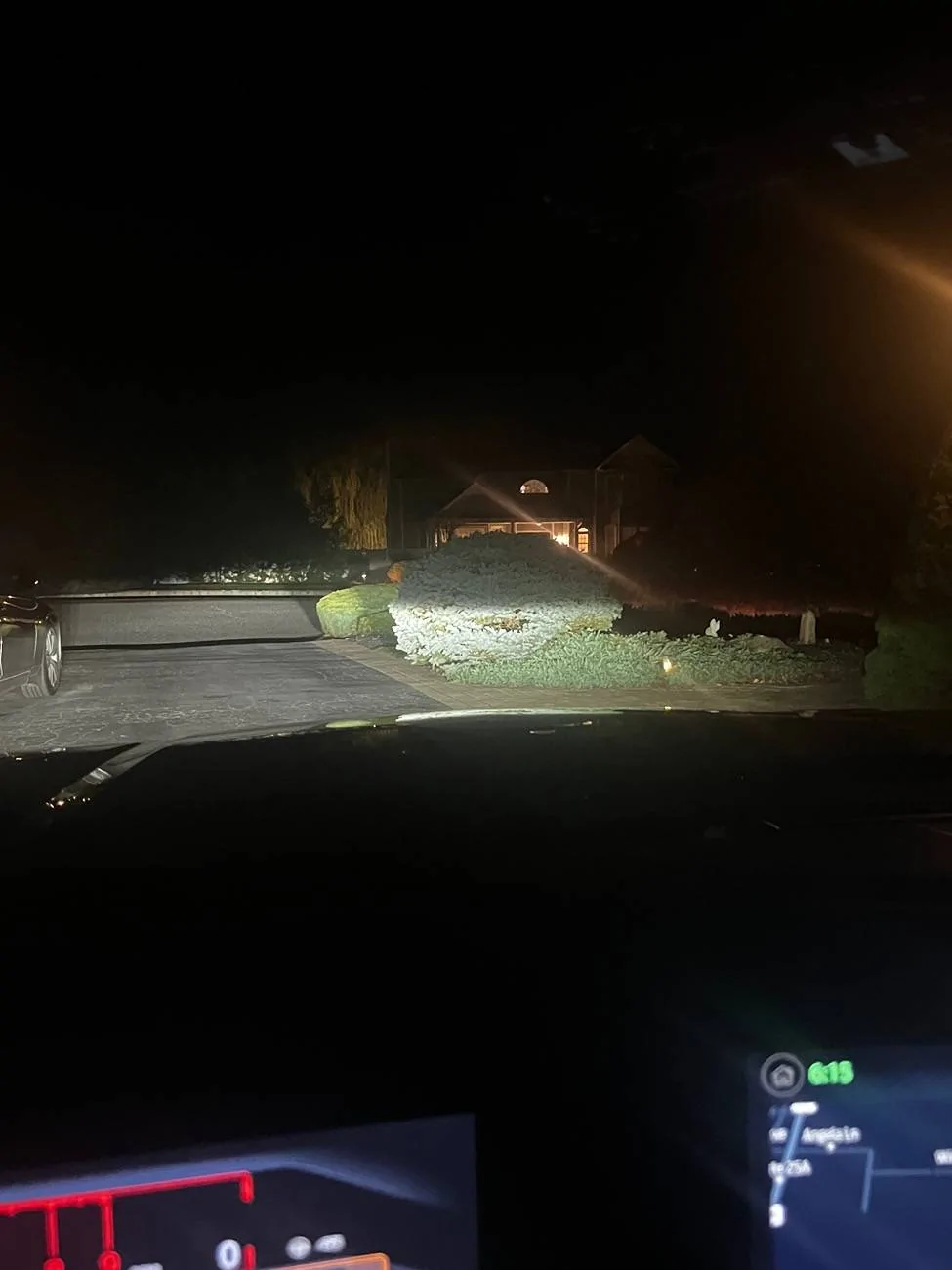
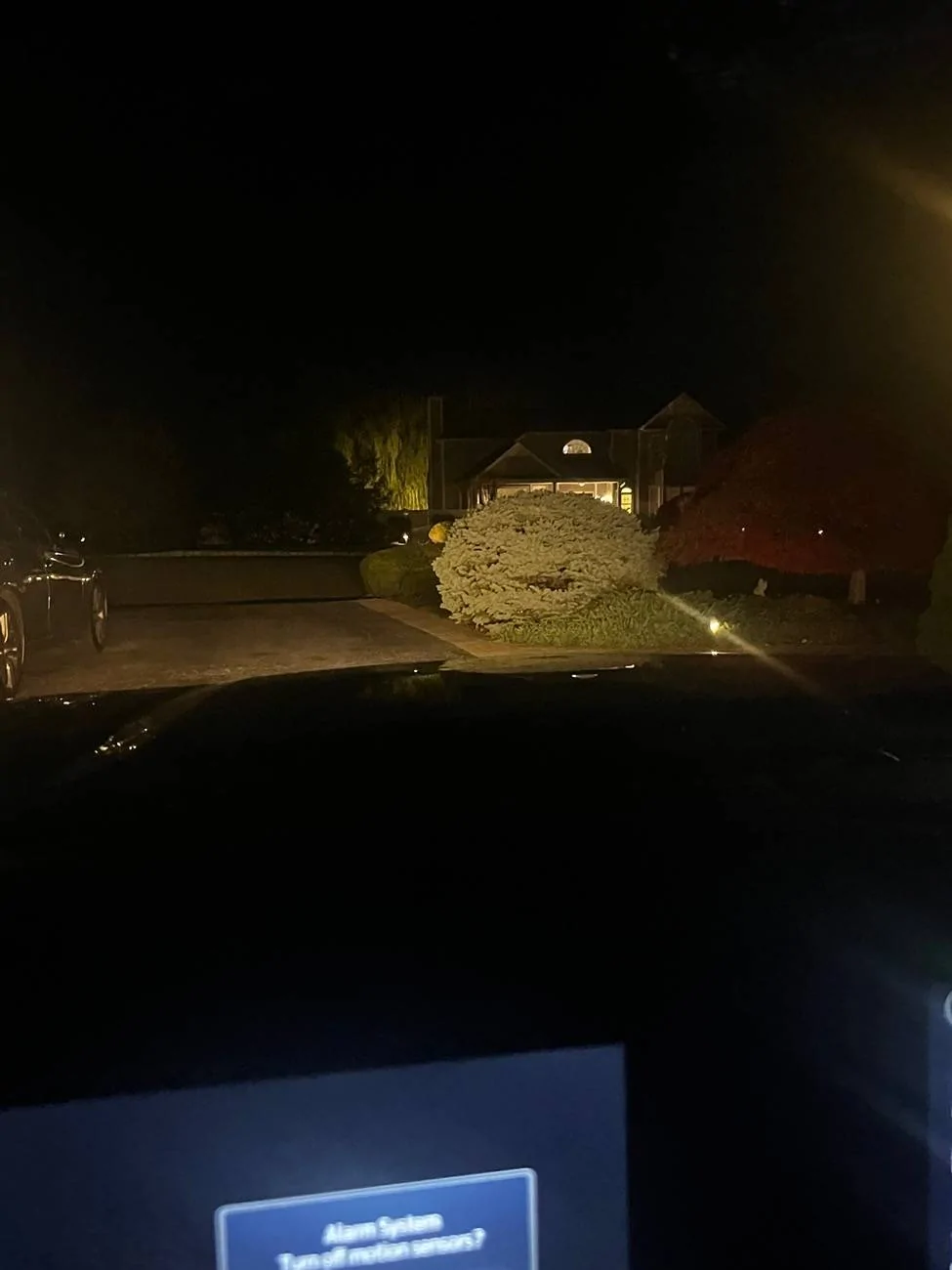
gonna be honest, i dont know whats going onHey. So I just wanted to show you regarding the amber I was saying. I restored back to factory and redid it, the last line replace second digit with a 2, and the line before it, put a 2 somewhere (forgot it right now). These are pictures of what it looks like. First picture is with the car on, so it’s white. Second, is when I shut it off and the lights stayed on temporarily (the drl’s more so, not headlights). You can see it’s orange ish in color.

ravnwood
Member
Is there a way to use ForScan to de-neuter CarPlay when the car is moving?
For example if you make a call and have to "Press 1 for whatever", the car won't let you do that while in motion because.. SAFETY. (So instead I have to fish out my phone, fumble with it in my hands, take my eyes off the road, then press 1.)
And of course all the music, maps, lists of any kind only show you the top 10-ish options when moving.
For example if you make a call and have to "Press 1 for whatever", the car won't let you do that while in motion because.. SAFETY. (So instead I have to fish out my phone, fumble with it in my hands, take my eyes off the road, then press 1.)
And of course all the music, maps, lists of any kind only show you the top 10-ish options when moving.
OP
OP
roket
Well-Known Member
- Joined
- Sep 22, 2022
- Threads
- 78
- Messages
- 2,716
- Reaction score
- 4,124
- Location
- Cave Creek, Arizona
- Website
- roketgamer.dev
- Vehicle(s)
- 2024 Ford Mustang Dark Horse
- Thread starter
- #184
that is Apple's fault. nothing can be done about thatIs there a way to use ForScan to de-neuter CarPlay when the car is moving?
For example if you make a call and have to "Press 1 for whatever", the car won't let you do that while in motion because.. SAFETY. (So instead I have to fish out my phone, fumble with it in my hands, take my eyes off the road, then press 1.)
And of course all the music, maps, lists of any kind only show you the top 10-ish options when moving.
ravnwood
Member
My understanding is that CarPlay protections are largely set by the auto manufacturer. My wife's Hyundai isn't nearly as locked down as Ford. I've driven several other makes with CarPlay and each one of them treats it a bit differently.that is Apple's fault. nothing can be done about that
I've also used aftermarket stereos with CarPlay which were able to be fooled by grounding the parking brake wire.
OP
OP
roket
Well-Known Member
- Joined
- Sep 22, 2022
- Threads
- 78
- Messages
- 2,716
- Reaction score
- 4,124
- Location
- Cave Creek, Arizona
- Website
- roketgamer.dev
- Vehicle(s)
- 2024 Ford Mustang Dark Horse
- Thread starter
- #186
i've heard the opposite, but i dont have the prior experience you seem to with it. in any case, its likely that the restriction, then, is in the programming of Ford's CarPlay implementation, then. its probably a variable that different companies set to different values. anyways, i cant find anything to change that restriction, so you probably will just have to live with itMy understanding is that CarPlay protections are largely set by the auto manufacturer. My wife's Hyundai isn't nearly as locked down as Ford. I've driven several other makes with CarPlay and each one of them treats it a bit differently.
I've also used aftermarket stereos with CarPlay which were able to be fooled by grounding the parking brake wire.
TXGT29
Well-Known Member
Hey yall, been messing around with spash screens, and not having any luck (other than the raptor splash screen which is fun). Seems like the "Ford Performance" that I've seen on other videos isn't an offering, unless it's listed as something else.
Also, seems like the "GT" splash screen doesn't work on Sync4 from what im seeing online (just get blue oval with this selection).
Anyone else messed with these?
Also, seems like the "GT" splash screen doesn't work on Sync4 from what im seeing online (just get blue oval with this selection).
Anyone else messed with these?
So0_NaSTy
Well-Known Member
I’m not sure either honestly. I’ve been curious on if it’s possible to turn the screen into the dark horse startup screen, but I can’t seem to find that anywhere.Hey yall, been messing around with spash screens, and not having any luck (other than the raptor splash screen which is fun). Seems like the "Ford Performance" that I've seen on other videos isn't an offering, unless it's listed as something else.
Also, seems like the "GT" splash screen doesn't work on Sync4 from what im seeing online (just get blue oval with this selection).
Anyone else messed with these?
Traxl
Member
- Joined
- Apr 26, 2018
- Threads
- 1
- Messages
- 18
- Reaction score
- 24
- Location
- Houston, TX
- Vehicle(s)
- 2024 Atlas Blue Mustang GT, 2022 Rapid Red GT500 Wide Body Signature Edition
If you go to Livinitup's spreadsheet, move to the APIM 7D0 sheet, then go down to line 1257; all of the available splash screens are listed. Dark Horse is 1A and 1B, depending on the B&O audio system.I’m not sure either honestly. I’ve been curious on if it’s possible to turn the screen into the dark horse startup screen, but I can’t seem to find that anywhere.
| 7D0-03-01 | xxxx | **xx | xx-- |
| 0 = | SS Default/not programmed |
| 1 = | SS Stock Ford/Lincoln Splash Screen, as determined by brand bit |
| 2 = | SS F150 |
| 3 = | SS Raptor |
| 4 = | SS Black Label |
| 5 = | SS Presidential |
| 6 = | SS Non-Shelby Mustang |
| 7 = | SS Shelby Mustang |
| 8 = | SS Mustang Shelby R1 |
| 9 = | SS Mustang EVO |
| A = | SS Base Ford (Europe) |
| B = | SS ST |
| C = | SS RS |
| D = | SS Ford GT |
| E = | SS Continental |
| F = | SS Navigator |
| 10 = | SS Aviator |
| 11 = | SS Escape |
| 12 = | SS Explorer |
| 13 = | SS Expedition |
| 14 = | SS Bronco |
| 15 = | SS Bronco Sport (CX430) |
| 16 = | SS Vignale |
| 17 = | SS Active |
| 18 = | SS ST Line |
| 19 = | SS CX727 |
| 1A = | SS S650 “Dark Horse” Welcome Animation (w/o B&O) |
| 1B = | SS S650 “Dark Horse” Welcome Animation (w/ B&O) |
| 1C = | SS S650 “Pony” Welcome Animation (w/ B&O) |
| 1D = | SS S650 “Pony” Welcome Animation (w/o B&O) |
| 1E = | SS C519 |
| 1F = | SS P702 BEV |
| 20 = | SS Corsair (CX483) |
| 21 = | SS Nautilus (U540) |
| 22 = | SS CX727 GT |
| 23 = | SS AV713 |
| 24 = | SS P702 Anniversary |
| 25 = | SS V363 |
| 26 = | SS V710 |
| 27 = | SS J74 |
| 28 = | SS Unused |
| 29 = | SS Unused |
| 2A = | SS J73 |
Last edited:
So0_NaSTy
Well-Known Member
Oh thanks!!!If you go to Livinitup's spreadsheet, move to the APIM 7D0 sheet, then go down to line 1257; all of the available splash screens are listed. Dark Horse is 1A and 1B, depending on the B&O audio system.
So0_NaSTy
Well-Known Member
I assume you don’t know a way to change the vehicle shown when changing drive modes and on the center display where your MPG is? That’s probably hard coded into the VIN?If you go to Livinitup's spreadsheet, move to the APIM 7D0 sheet, then go down to line 1257; all of the available splash screens are listed. Dark Horse is 1A and 1B, depending on the B&O audio system.
Traxl
Member
- Joined
- Apr 26, 2018
- Threads
- 1
- Messages
- 18
- Reaction score
- 24
- Location
- Houston, TX
- Vehicle(s)
- 2024 Atlas Blue Mustang GT, 2022 Rapid Red GT500 Wide Body Signature Edition
Haven't tried it, but my guess is that on the same sheet, starting with row 1386, changing the * will change the vehicle displayed.I assume you don’t know a way to change the vehicle shown when changing drive modes and on the center display where your MPG is? That’s probably hard coded into the VIN?
| 7D0-03-01 | xxxx | xxx* | xx-- |
| 0 = | VS Undefined |
| 1 = | VS Sedan – PDC_Generic_Car |
| 2 = | VS Coupe/Convertible |
| 3 = | VS Pickup Truck – PDC_Truck |
| 4 = | VS SUV/CUV |
| 5 = | VS Large VAN – PDC_Lg_Comm_Van |
| 6 = | VS Hatchback |
| 7 = | VS Wagon |
| 8 = | VS Small Commuter Van – PDC_Sm_Comm_Van |
| 9 = | VS EcoSport – PDC_EcoSport |
| A = | VS Fiesta – PDC_Fiesta |
| B = | VS Focus – PDC_Focus |
| C = | VS Bronco |
| D = | VS Muscle Car |
| E = | VS Pickup Chassis Cab |
| F = | VS Pickup Box Delete |
| 10 = | VS Van Chassis Cab |
So0_NaSTy
Well-Known Member
I ask because I got a dark horse bumper on my car, liked the design and optimized airflow, so I just wanted to see if the pictureI assume you don’t know a way to change the vehicle shown when changing drive modes and on the center display where your MPG is? That’s probably hard coded into the VIN?
Which would it even be? I’d assume right now it’s 2, but I assume the dark horse is that too.Haven't tried it, but my guess is that on the same sheet, starting with row 1386, changing the * will change the vehicle displayed.
7D0-03-01 xxxx xxx* xx--
0 = VS Undefined 1 = VS Sedan – PDC_Generic_Car 2 = VS Coupe/Convertible 3 = VS Pickup Truck – PDC_Truck 4 = VS SUV/CUV 5 = VS Large VAN – PDC_Lg_Comm_Van 6 = VS Hatchback 7 = VS Wagon 8 = VS Small Commuter Van – PDC_Sm_Comm_Van 9 = VS EcoSport – PDC_EcoSport A = VS Fiesta – PDC_Fiesta B = VS Focus – PDC_Focus C = VS Bronco D = VS Muscle Car E = VS Pickup Chassis Cab F = VS Pickup Box Delete 10 = VS Van Chassis Cab
Traxl
Member
- Joined
- Apr 26, 2018
- Threads
- 1
- Messages
- 18
- Reaction score
- 24
- Location
- Houston, TX
- Vehicle(s)
- 2024 Atlas Blue Mustang GT, 2022 Rapid Red GT500 Wide Body Signature Edition
My guess is Ford used "D" Muscle Car for all Mustang models.
So0_NaSTy
Well-Known Member
Yeah. I’d guess that too. Cons of making my car like a dark horse, can’t change the configs lol. Wanted to change the Fordpass icon too, doubt that’ll work.My guess is Ford used "D" Muscle Car for all Mustang models.
Sponsored
Similar threads


- Replies
- 3
- Views
- 5,004


