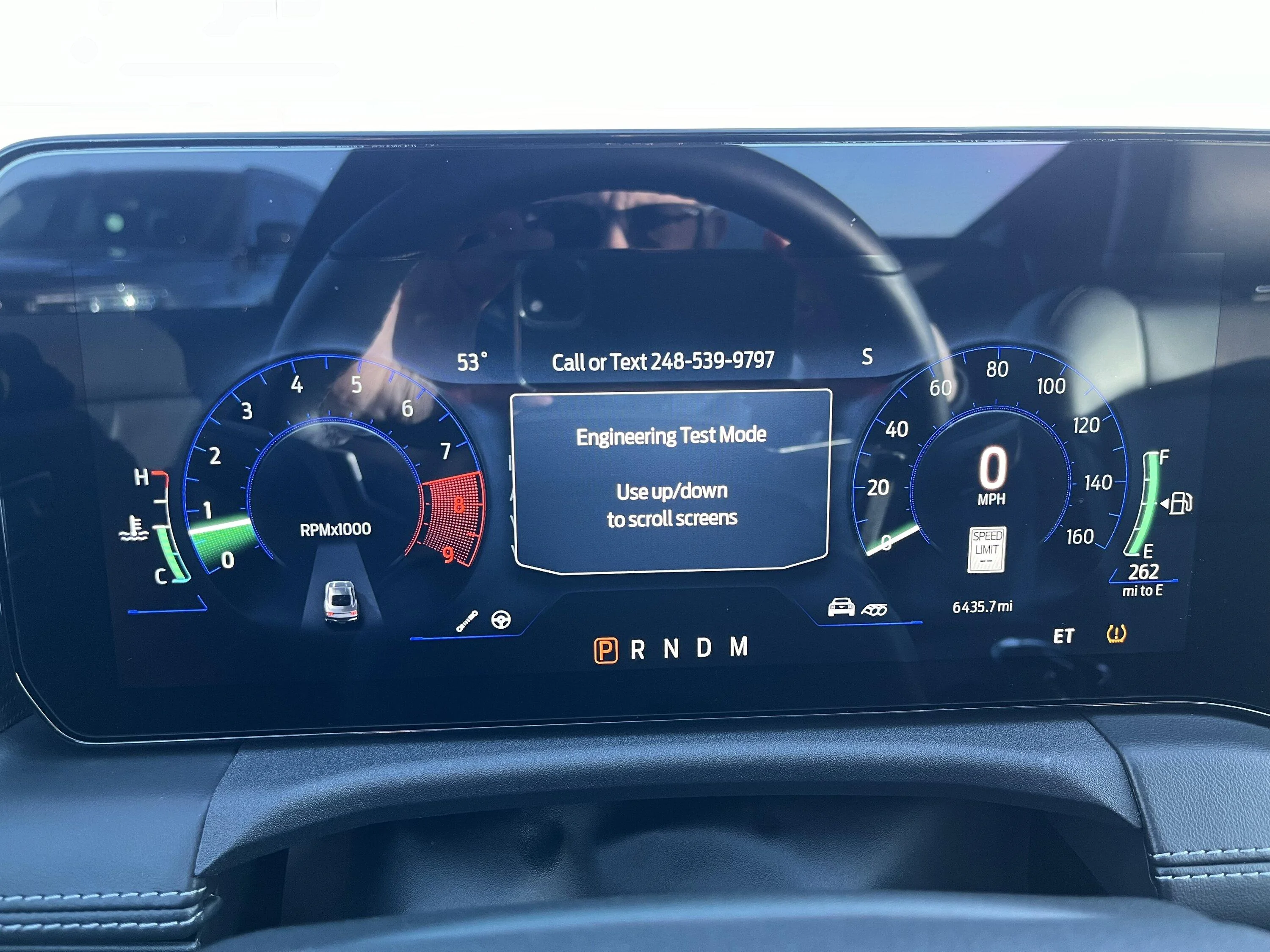
engineering test mode can be entered by pressing and holding the "OK" button while starting the vehicle, and holding it until you see a little "ET" icon appear in the bottom-right corner of the dash
engineering test mode can be entered by pressing and holding the "OK" button while starting the vehicle, and holding it until you see a little "ET" icon appear in the bottom-right corner of the dash
This is the process I use to get in ET mode. Get in car. Turn on car. Turn off car, open and close door. Wait for everything to turn off. For me last item is the dome light. Press and hold OK. Press ignition button 5 times and continue holding OK until ET is displayed at bottom right and release OK.
FYI, my mpg display was consistently around 2 mpg more than the calculated mpg. I used ET mode to adjust the AFE value from the default 1000 to 950, and my display mpg now consistently matches my calculated mpg or is within 0.2 mpg.
FYI, my mpg display was consistently around 2 mpg more than the calculated mpg. I used ET mode to adjust the AFE value from the default 1000 to 950, and my display mpg now consistently matches my calculated mpg or is within 0.2 mpg.
Also .... my hand calculated mpg was always 1.5 - 2.0 mpg (average) less than the trip display mpg. I used the ET mode for correction. I changed the AFE default value from 1000 to 975 and am now within 0.2 mpg on the trip meter display.