pc104
Member
- Thread starter
- #1
After the dealership tore apart my rearview mirror housing to replace a faulty sensor, I took the opportunity to rewire everything fresh. This setup powers a front dash cam and radar detector discreetly without a huge mess of cables.
The premium package already has USB power in the rearview mirror housing, but radar detector installation is the same.
Note: this setup doesn't provide continuous power when the car is parked. I prefer that because it prevents battery drain. For 24/7 recording, you would need to run a cable to the fuse box in the passenger footwell.

Required parts:
Spare W714972S300 clips (https://www.amazon.com/dp/B0CY567LZ2)
Radar detector mirror tap kit (https://www.amazon.com/Xislet-Detector-Replacement-Valentine-Beltronics/dp/B082V1245P)
5-pin type F dashcam power adapter (https://www.amazon.com/dp/B0DDP99C1P)
Small zip ties (included with the power adapter)
You'll also need:
Radar detector (I use a Uniden R3 with a Blendmount that clamps behind the mirror)
USB-powered dash cam (I use a Cievie C200) - If your dash cam requires 12v instead of 5v, skip the USB and just tap into the black and white wires directly.
Thank you robotninjasrule for the info in this thread! More pics in here of a cheap unobtrusive dash cam:
https://www.mustang7g.com/forums/threads/smallest-dash-cam.172147/
Mirror housing disassembly:
Bend the rearview mirror and mirror stem all the way down and left. You'll see a plastic trim piece above the mirror stem, inside the rearview mirror housing. Pop it out with a trim removal tool from the top. Next, work your way around the edges of the plastic mirror housing to separate it from the windshield. You have to be pretty forceful and may snap one or more of the plastic clips. I recommend having replacement clips on hand, or the mirror housing will sag when you reassemble it. The OEM part number is W714972S300 (but the generic ones work great).
Radar detector power:
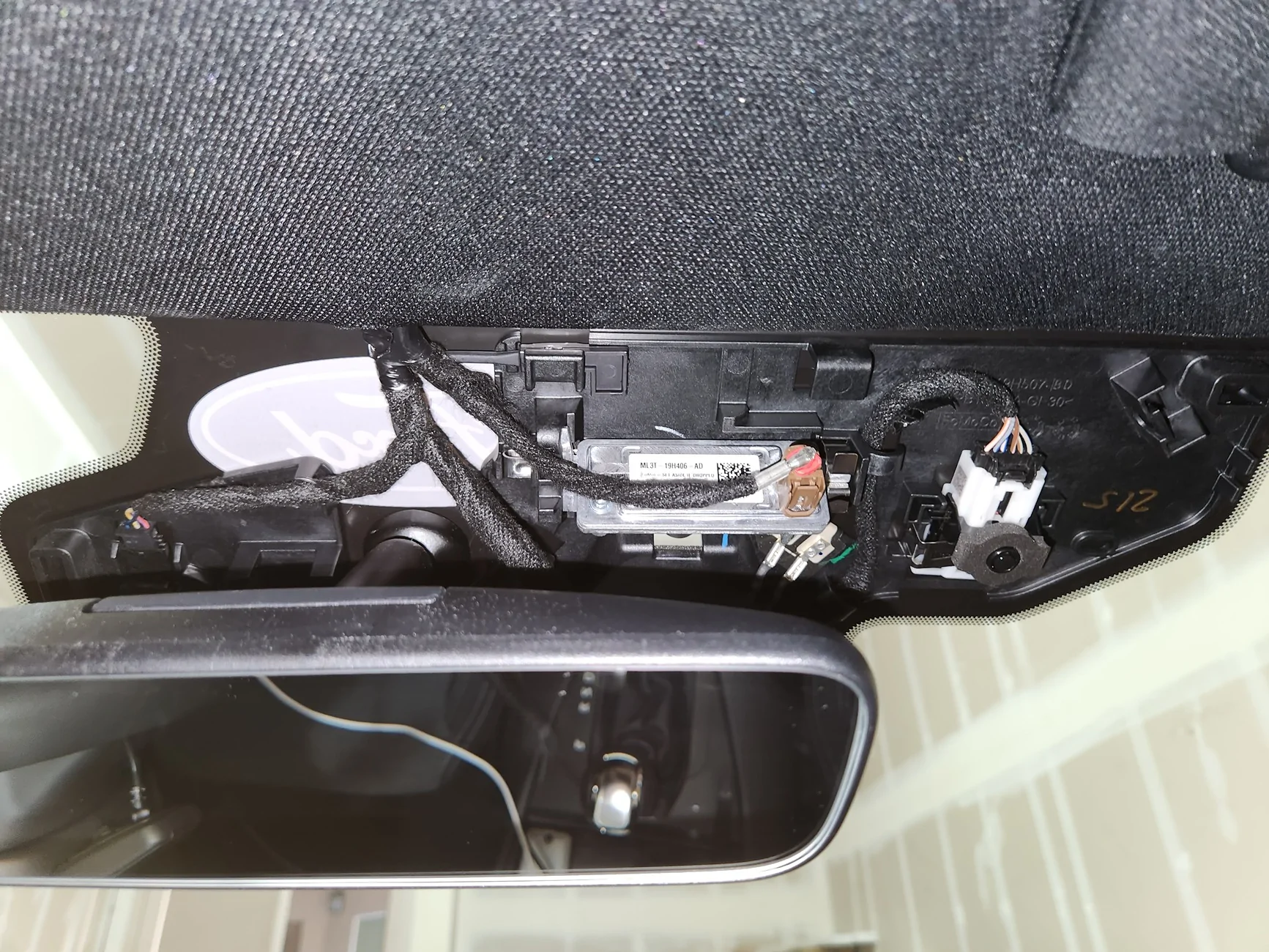
Now you'll see a plastic panel with wire sleeves running across it. Find the 5-pin connector that runs horizontally across the top of the panel near the headliner. On the left side of the connector is a bundle of wires colored green, yellow, black, gray, and white. Press in on the center tab of the 5-pin connector and pull to the left to unplug it. Using your mirror tap kit, slide the black and red pins into the back of the 5-pin connector you just unplugged so that the black pin contacts the black cable and the red pin contacts the white cable. There will be some friction holding the pins in place. My mirror tap kit included 3 sizes of pins and I used the smallest.
This post on the mach-e forums shows the wiring: https://www.macheforum.com/site/thr...or-or-dash-cam-switched-12v-diy-writeup.3952/
I DO NOT recommend wrapping the connector in electrical tape to hold the pins in. The adhesive disintegrates in the sun and turns the connector into a gooey mess after a few months. Heat shrink tubing would be ideal, but a tight zip tie will hold the pins in too.
Plug the 5-pin connector back into the panel. Now put the car in accessory mode and see if it powers your radar detector. If not, double check that the black and red pins are contacting the black and white wires. I've been running this setup over a year and had no connectivity issues.
Dash cam USB power:
Unplug the 5-pin connector again and plug it into the dash cam power adapter cable (it only fits one way). Then plug the opposite end of the power adapter cable into the panel. Now you can try powering the camera from the adapter using one of the included USB cables.
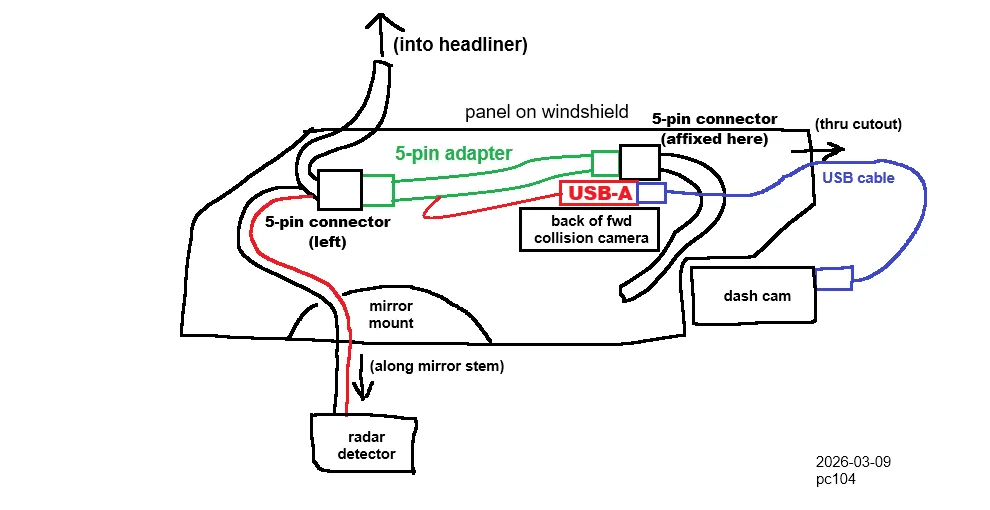
Below is the rough layout I used for where my cables fit in the mirror housing. Coil up extra slack in the USB cable. There's a cutout on the right side of the mirror housing that you'll feed the cable through. Zip tie the USB cable to an anchor point on the panel so it won't come unplugged. Replace any broken clips and check how much clearance you have inside the mirror housing with all your cables. Latch the clips by pressing from the edges of the mirror housing and adjusting the cables as needed. I had no problem making it all fit even with the bulky USB adapter.

Now you mount your dash cam and radar detector using your preferred method. I use the Blendmount for my Uniden:
https://www.mustang7g.com/forums/th...tor-hard-wire-install-with-blendmount.159661/
I hope you found this guide to be helpful. Please post pics if you followed it!
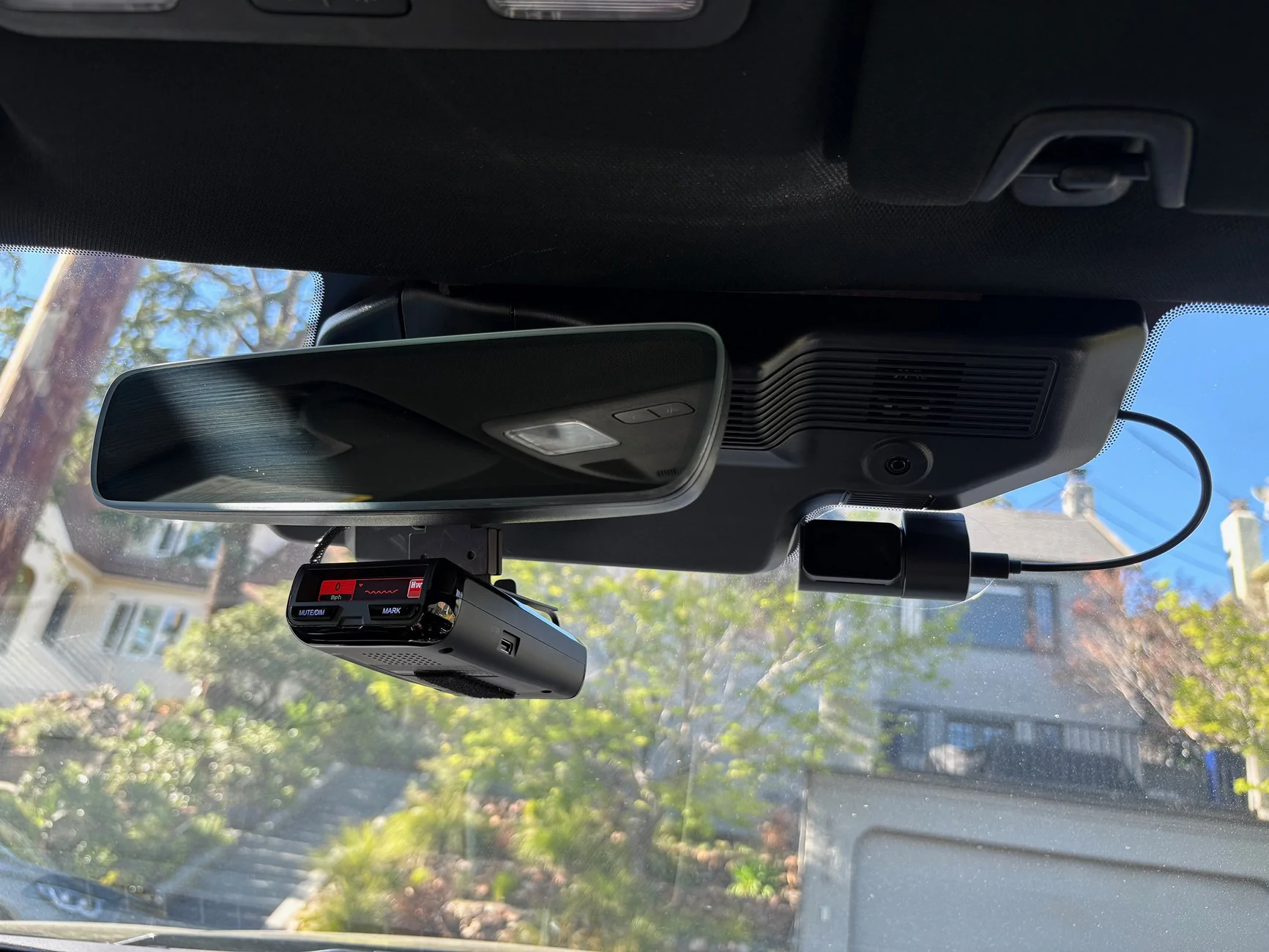
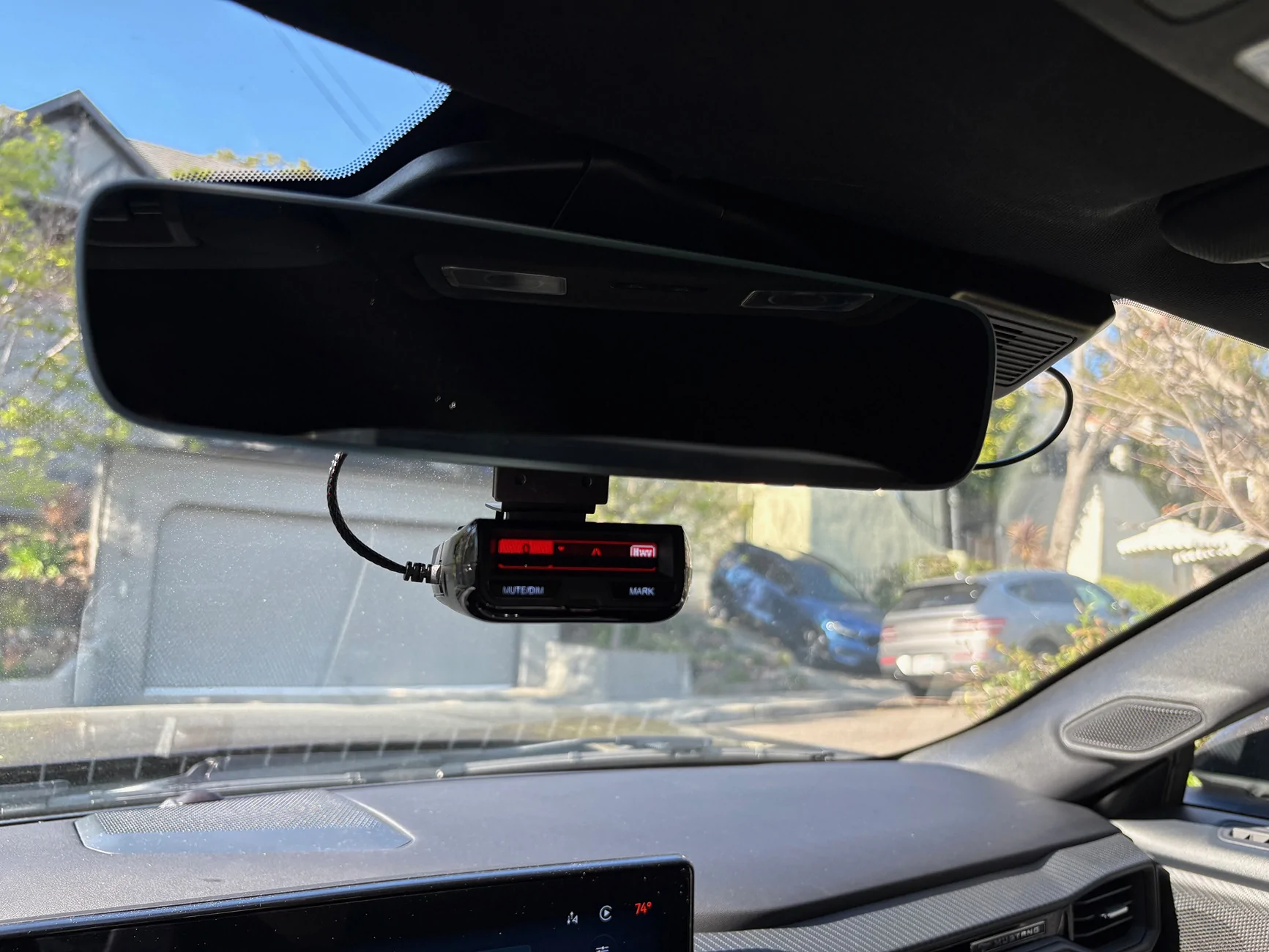
POV photo:
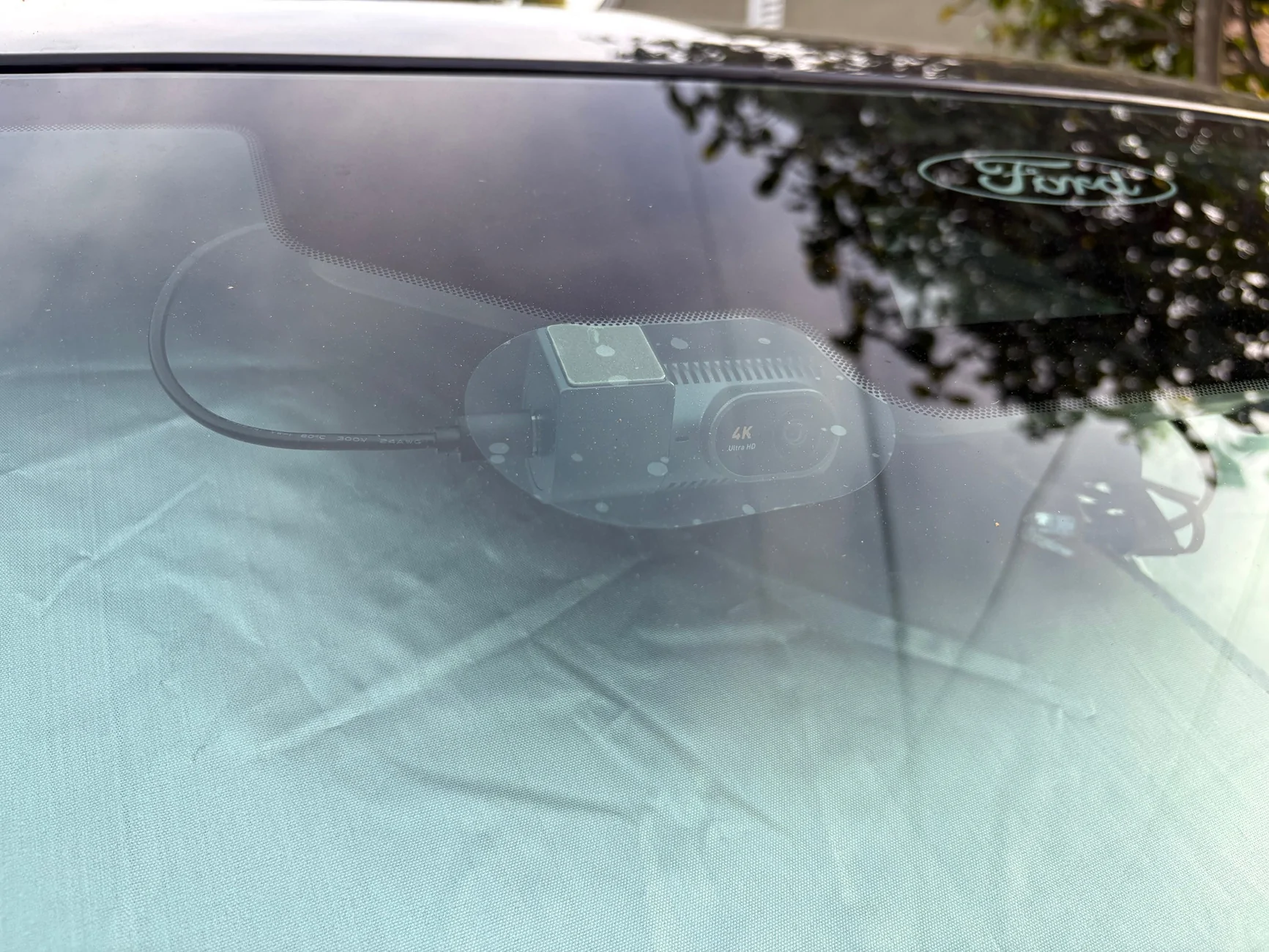
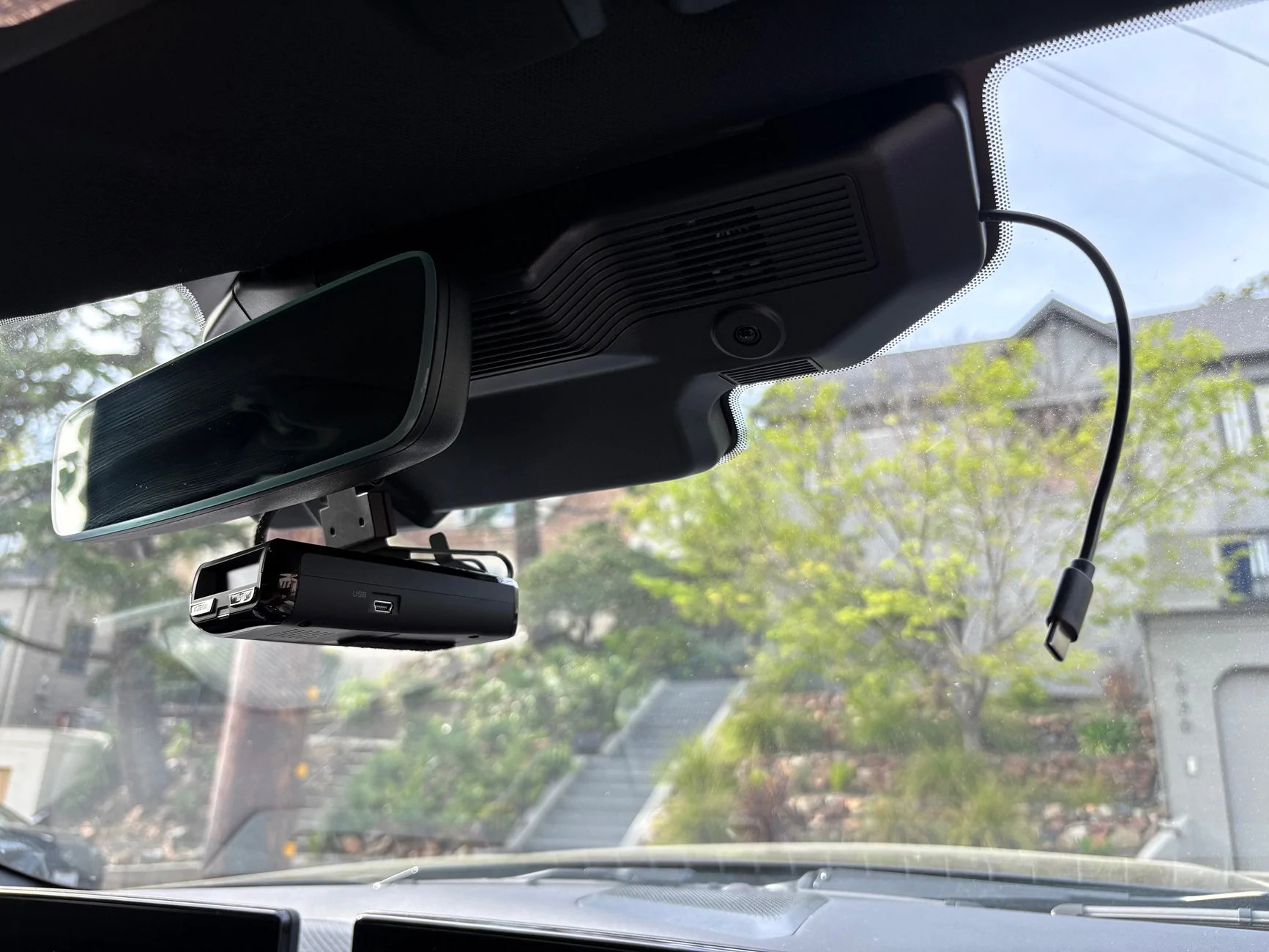
With dash cam removed:
The premium package already has USB power in the rearview mirror housing, but radar detector installation is the same.
Note: this setup doesn't provide continuous power when the car is parked. I prefer that because it prevents battery drain. For 24/7 recording, you would need to run a cable to the fuse box in the passenger footwell.
Required parts:
Spare W714972S300 clips (https://www.amazon.com/dp/B0CY567LZ2)
Radar detector mirror tap kit (https://www.amazon.com/Xislet-Detector-Replacement-Valentine-Beltronics/dp/B082V1245P)
5-pin type F dashcam power adapter (https://www.amazon.com/dp/B0DDP99C1P)
Small zip ties (included with the power adapter)
You'll also need:
Radar detector (I use a Uniden R3 with a Blendmount that clamps behind the mirror)
USB-powered dash cam (I use a Cievie C200) - If your dash cam requires 12v instead of 5v, skip the USB and just tap into the black and white wires directly.
Thank you robotninjasrule for the info in this thread! More pics in here of a cheap unobtrusive dash cam:
https://www.mustang7g.com/forums/threads/smallest-dash-cam.172147/
Mirror housing disassembly:
Bend the rearview mirror and mirror stem all the way down and left. You'll see a plastic trim piece above the mirror stem, inside the rearview mirror housing. Pop it out with a trim removal tool from the top. Next, work your way around the edges of the plastic mirror housing to separate it from the windshield. You have to be pretty forceful and may snap one or more of the plastic clips. I recommend having replacement clips on hand, or the mirror housing will sag when you reassemble it. The OEM part number is W714972S300 (but the generic ones work great).
Radar detector power:
Now you'll see a plastic panel with wire sleeves running across it. Find the 5-pin connector that runs horizontally across the top of the panel near the headliner. On the left side of the connector is a bundle of wires colored green, yellow, black, gray, and white. Press in on the center tab of the 5-pin connector and pull to the left to unplug it. Using your mirror tap kit, slide the black and red pins into the back of the 5-pin connector you just unplugged so that the black pin contacts the black cable and the red pin contacts the white cable. There will be some friction holding the pins in place. My mirror tap kit included 3 sizes of pins and I used the smallest.
This post on the mach-e forums shows the wiring: https://www.macheforum.com/site/thr...or-or-dash-cam-switched-12v-diy-writeup.3952/
I DO NOT recommend wrapping the connector in electrical tape to hold the pins in. The adhesive disintegrates in the sun and turns the connector into a gooey mess after a few months. Heat shrink tubing would be ideal, but a tight zip tie will hold the pins in too.
Plug the 5-pin connector back into the panel. Now put the car in accessory mode and see if it powers your radar detector. If not, double check that the black and red pins are contacting the black and white wires. I've been running this setup over a year and had no connectivity issues.
Dash cam USB power:
Unplug the 5-pin connector again and plug it into the dash cam power adapter cable (it only fits one way). Then plug the opposite end of the power adapter cable into the panel. Now you can try powering the camera from the adapter using one of the included USB cables.
Below is the rough layout I used for where my cables fit in the mirror housing. Coil up extra slack in the USB cable. There's a cutout on the right side of the mirror housing that you'll feed the cable through. Zip tie the USB cable to an anchor point on the panel so it won't come unplugged. Replace any broken clips and check how much clearance you have inside the mirror housing with all your cables. Latch the clips by pressing from the edges of the mirror housing and adjusting the cables as needed. I had no problem making it all fit even with the bulky USB adapter.
Now you mount your dash cam and radar detector using your preferred method. I use the Blendmount for my Uniden:
https://www.mustang7g.com/forums/th...tor-hard-wire-install-with-blendmount.159661/
I hope you found this guide to be helpful. Please post pics if you followed it!
POV photo:
With dash cam removed:
Sponsored