robotninjasrule
Active Member
- Thread starter
- #1
Hello all! First post!
(apologize I am at work, limited access to pictures)
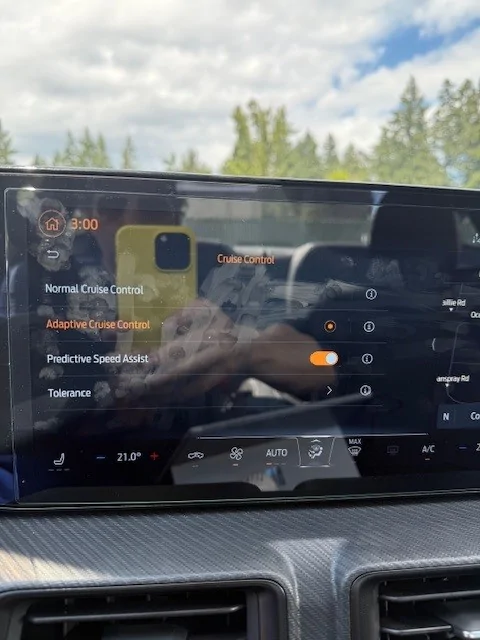
I finally had success installing Adaptive Cruise on my s650! A lot of research on the Mavrick and F150 Forums. Some significant changes from previous years across all models 2024+. Previous years the procedure is similar but still different.
A little backstory, I found a GT prem totaled at a local wreck yard. I paid the Owner 500 CAD for the APIM and the big screen. I then had an idea! I should also install ACC as well, went back a week later that GT prem was gone. So, I had to order the parts, cheaper than I expected except the radar I bought used.
Before I started this procedure, I already installed the GT premium APIM and had the Speed sign recognition working. I think this is part of the ACC, no way for me to tell since I already installed the APIM.
Stuff and Things you need!
FORSCAN
FDRS I used the Ali Express VNCI device, worked not bad for 80 CAD.
Wire
Cruise switch PP3Z- 9C888-AA
Terminals WT-1002
Mount PR3Z-14022-C
Radar RB5T 9G768 AB
Radar pig tail Ebay
Find VIN matching your features but in Premium trim, Looking for things like Performance package, seat type, 301A vs 301 etc and enter it into https://www.motorcraftservice.com/AsBuilt and download the ASBUILT data.
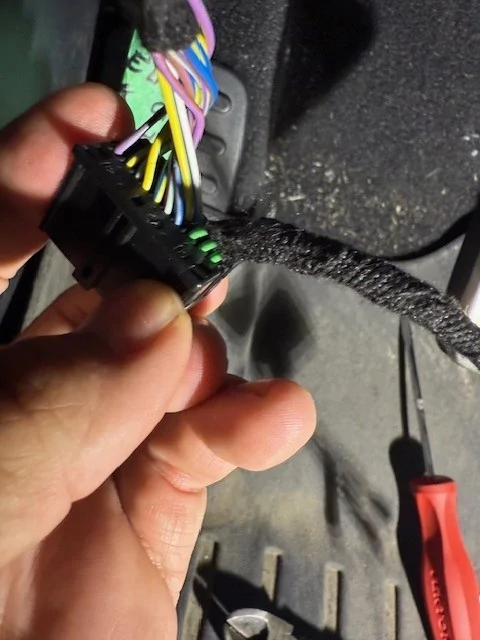
Do wiring, when looking at the IPMA from the foot well it’s the second connecter from the top. PIN 9 FRONT radar Ground
PIN 18 FRONT radar positive power
PIN 19 RADAR CAN BUS LOW
PIN 20 RADAR CAN BUS HIGH
Unclip the lock and insert the terminals in as in the instructions for the TYCO electronics Generation Y Connecter instruction sheet 408-10372 (google that)
The Radar pigtail I just searched on eBay and found a knock off, seems to work just fine!
Pin 1 Positive Power (Pin 18 from IPMA)
Pin 2 CAN LOW (Pin 19 from IPMA)
Pin 3 CAN HIGH (Pin 20 from IPMA)
Pin 4 Ground (Pin 9 from IPMA)
I ran the wires through the firewall just above the gas pedal.
I was able to install the radar and mount through the bottom of the front bumper. I removed the
“plastic skid plate” separated the plastics and squeezed the mount through. Then I screwed it in from the front through the grill.
There is a video on YouTube how to take the steering wheel and airbag off. I used that to install the steering wheel controls, not hard disconnect battery before playing with airbag connectors.
Next its programing!
FORSCAN,
Save all the ASBUILT data especially IPMA, ABS, SCCM, GWM, IPC, APIM. So, you have a back up if you mess something up.
Extract your VIN, write it down. I found it in multiple spots but I used the one from the ABS category:
760-01-01
760-01-02
760-01-03
760-01-04
And IPMA one (not sure why mine are different, maybe it was me messing with stuff on a earlier project)
706-19-01
706-19-02
706-19-03
706-19-04
Go into IPMA module configuration and search for “cruise” change radar to “present” and cruise to “radar fusion”.
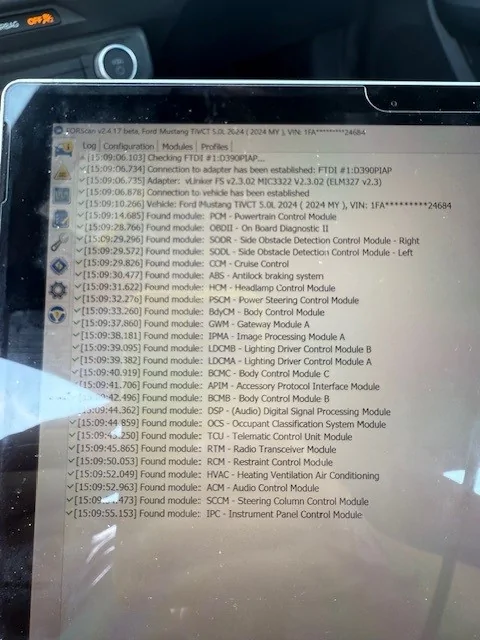
Restart FORSCAN do not load a profile, objective here is to get the “CCM” module to show up. If your wiring is not correct you will have no “CCM” module and IPMA DTCs like “CCM” short or open, and other related to communication errors under IPMA. When your wiring is correct, you should see the CCM pop up with 2 DTC’s 1 DTC will read invalid VIN number, second DTC should be alignment and configuration missing. You may see other DTC’s in IPMA and ABS (ABS DTCs did not pop up for me until later).
Open the CCM module ASBUILT data and replace the numbers with your VIN data (nothing else to change in here). Clear all DTC’s restart FORSCAN. You now should have 1 DTC in the CCM, Alignment / no configuration present.
LOAD your new Premium as built data from the Ford website, should be one file but keep loading it to the induvial modules.
IPC,
ABS** (I had time to dig into this a little more. No need to load the GT premium data. The only change that is required is 760-03-01 XXXX-X*XX-XX-- from a "2" to a "3"
IPMA,
SCCM (if you don’t load this one specifically 724-02-01 xxx* *xxx xx—your steering wheel controls will be all jacked up)
Some suggest not to do this, but I don’t have time to sift through all the data to find problems and extract the exact configurations. The metric I use to get the warm and fuzzy is if FORSCAN does not report a DTC I am happy!
Restart FORSCAN you should see your BLISS (Blind spot information system) warning light come on, LKAS (Lane keep Assist System) warning light and now, maybe an adaptive cruise control not available warning. New DTCs under (BLISS sensors) SODL and SODR about VIN mismatch.
Open ASBUILT data for ABS replace the Premium VIN data with your VIN you wrote down at the start. Open ASBUILT data for IPMA replace the Premium VIN data with the IPMA data you wrote down at the start. Next Open module configuration IPMA, search for BLIND you should see 2 items for the BLISS select them and change them from network to HARDWIRE. I have no idea why Ford did this.
Open your GWM module and restore the ASBUILT data. Not sure why the premium VIN was transferred to this module. I only found this out when my Ford Pass app was not working.
Restart FORSCAN the BLISS warning light should now be gone, the BLISS DTCs should be gone! The last DTC you should see is the CCM alignment / configuration; however, you still have 1 warning light on saying forward collision is not working.
Next boot up FDRS log into the vehicle, then open the CCM Toolbox and run the CCM configuration, this is going to get you drive around with your laptop plugged in, follow the instructions. I Hotspot’d my phone/laptop when it completed, I hit ok, instantly the forward collision assist warning went away and the adaptive cruise immediately started to work.
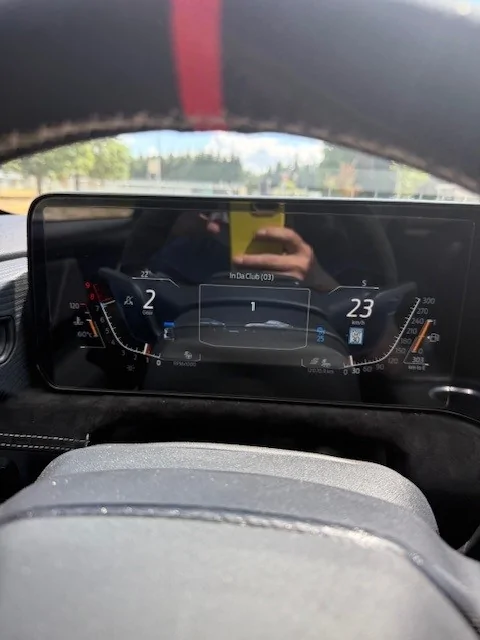
Open FORSCAN, clear the DTC’s and open the APIM Module configuration search “Cruise” I changed what ever said adaptive cruise and now under driver assistance menu I have all the controls for turning ACC and Intelligent cruise etc.
I hope this helps someone out!
Next project adding forward park sensors!

*first edit spelling error.
*Second Edit in Orange No need to load the Premium ABS Data
(apologize I am at work, limited access to pictures)
I finally had success installing Adaptive Cruise on my s650! A lot of research on the Mavrick and F150 Forums. Some significant changes from previous years across all models 2024+. Previous years the procedure is similar but still different.
A little backstory, I found a GT prem totaled at a local wreck yard. I paid the Owner 500 CAD for the APIM and the big screen. I then had an idea! I should also install ACC as well, went back a week later that GT prem was gone. So, I had to order the parts, cheaper than I expected except the radar I bought used.
Before I started this procedure, I already installed the GT premium APIM and had the Speed sign recognition working. I think this is part of the ACC, no way for me to tell since I already installed the APIM.
Stuff and Things you need!
FORSCAN
FDRS I used the Ali Express VNCI device, worked not bad for 80 CAD.
Wire
Cruise switch PP3Z- 9C888-AA
Terminals WT-1002
Mount PR3Z-14022-C
Radar RB5T 9G768 AB
Radar pig tail Ebay
Find VIN matching your features but in Premium trim, Looking for things like Performance package, seat type, 301A vs 301 etc and enter it into https://www.motorcraftservice.com/AsBuilt and download the ASBUILT data.
Do wiring, when looking at the IPMA from the foot well it’s the second connecter from the top. PIN 9 FRONT radar Ground
PIN 18 FRONT radar positive power
PIN 19 RADAR CAN BUS LOW
PIN 20 RADAR CAN BUS HIGH
Unclip the lock and insert the terminals in as in the instructions for the TYCO electronics Generation Y Connecter instruction sheet 408-10372 (google that)
The Radar pigtail I just searched on eBay and found a knock off, seems to work just fine!
Pin 1 Positive Power (Pin 18 from IPMA)
Pin 2 CAN LOW (Pin 19 from IPMA)
Pin 3 CAN HIGH (Pin 20 from IPMA)
Pin 4 Ground (Pin 9 from IPMA)
I ran the wires through the firewall just above the gas pedal.
I was able to install the radar and mount through the bottom of the front bumper. I removed the
“plastic skid plate” separated the plastics and squeezed the mount through. Then I screwed it in from the front through the grill.
There is a video on YouTube how to take the steering wheel and airbag off. I used that to install the steering wheel controls, not hard disconnect battery before playing with airbag connectors.
Next its programing!
FORSCAN,
Save all the ASBUILT data especially IPMA, ABS, SCCM, GWM, IPC, APIM. So, you have a back up if you mess something up.
Extract your VIN, write it down. I found it in multiple spots but I used the one from the ABS category:
760-01-01
760-01-02
760-01-03
760-01-04
And IPMA one (not sure why mine are different, maybe it was me messing with stuff on a earlier project)
706-19-01
706-19-02
706-19-03
706-19-04
Go into IPMA module configuration and search for “cruise” change radar to “present” and cruise to “radar fusion”.
Restart FORSCAN do not load a profile, objective here is to get the “CCM” module to show up. If your wiring is not correct you will have no “CCM” module and IPMA DTCs like “CCM” short or open, and other related to communication errors under IPMA. When your wiring is correct, you should see the CCM pop up with 2 DTC’s 1 DTC will read invalid VIN number, second DTC should be alignment and configuration missing. You may see other DTC’s in IPMA and ABS (ABS DTCs did not pop up for me until later).
Open the CCM module ASBUILT data and replace the numbers with your VIN data (nothing else to change in here). Clear all DTC’s restart FORSCAN. You now should have 1 DTC in the CCM, Alignment / no configuration present.
LOAD your new Premium as built data from the Ford website, should be one file but keep loading it to the induvial modules.
IPC,
ABS** (I had time to dig into this a little more. No need to load the GT premium data. The only change that is required is 760-03-01 XXXX-X*XX-XX-- from a "2" to a "3"
IPMA,
SCCM (if you don’t load this one specifically 724-02-01 xxx* *xxx xx—your steering wheel controls will be all jacked up)
Some suggest not to do this, but I don’t have time to sift through all the data to find problems and extract the exact configurations. The metric I use to get the warm and fuzzy is if FORSCAN does not report a DTC I am happy!
Restart FORSCAN you should see your BLISS (Blind spot information system) warning light come on, LKAS (Lane keep Assist System) warning light and now, maybe an adaptive cruise control not available warning. New DTCs under (BLISS sensors) SODL and SODR about VIN mismatch.
Open ASBUILT data for ABS replace the Premium VIN data with your VIN you wrote down at the start. Open ASBUILT data for IPMA replace the Premium VIN data with the IPMA data you wrote down at the start. Next Open module configuration IPMA, search for BLIND you should see 2 items for the BLISS select them and change them from network to HARDWIRE. I have no idea why Ford did this.
Open your GWM module and restore the ASBUILT data. Not sure why the premium VIN was transferred to this module. I only found this out when my Ford Pass app was not working.
Restart FORSCAN the BLISS warning light should now be gone, the BLISS DTCs should be gone! The last DTC you should see is the CCM alignment / configuration; however, you still have 1 warning light on saying forward collision is not working.
Next boot up FDRS log into the vehicle, then open the CCM Toolbox and run the CCM configuration, this is going to get you drive around with your laptop plugged in, follow the instructions. I Hotspot’d my phone/laptop when it completed, I hit ok, instantly the forward collision assist warning went away and the adaptive cruise immediately started to work.
Open FORSCAN, clear the DTC’s and open the APIM Module configuration search “Cruise” I changed what ever said adaptive cruise and now under driver assistance menu I have all the controls for turning ACC and Intelligent cruise etc.
I hope this helps someone out!
Next project adding forward park sensors!
*first edit spelling error.
*Second Edit in Orange No need to load the Premium ABS Data
Sponsored
Last edited: